3. DEVELOPMENT AND TONER SUPPLY
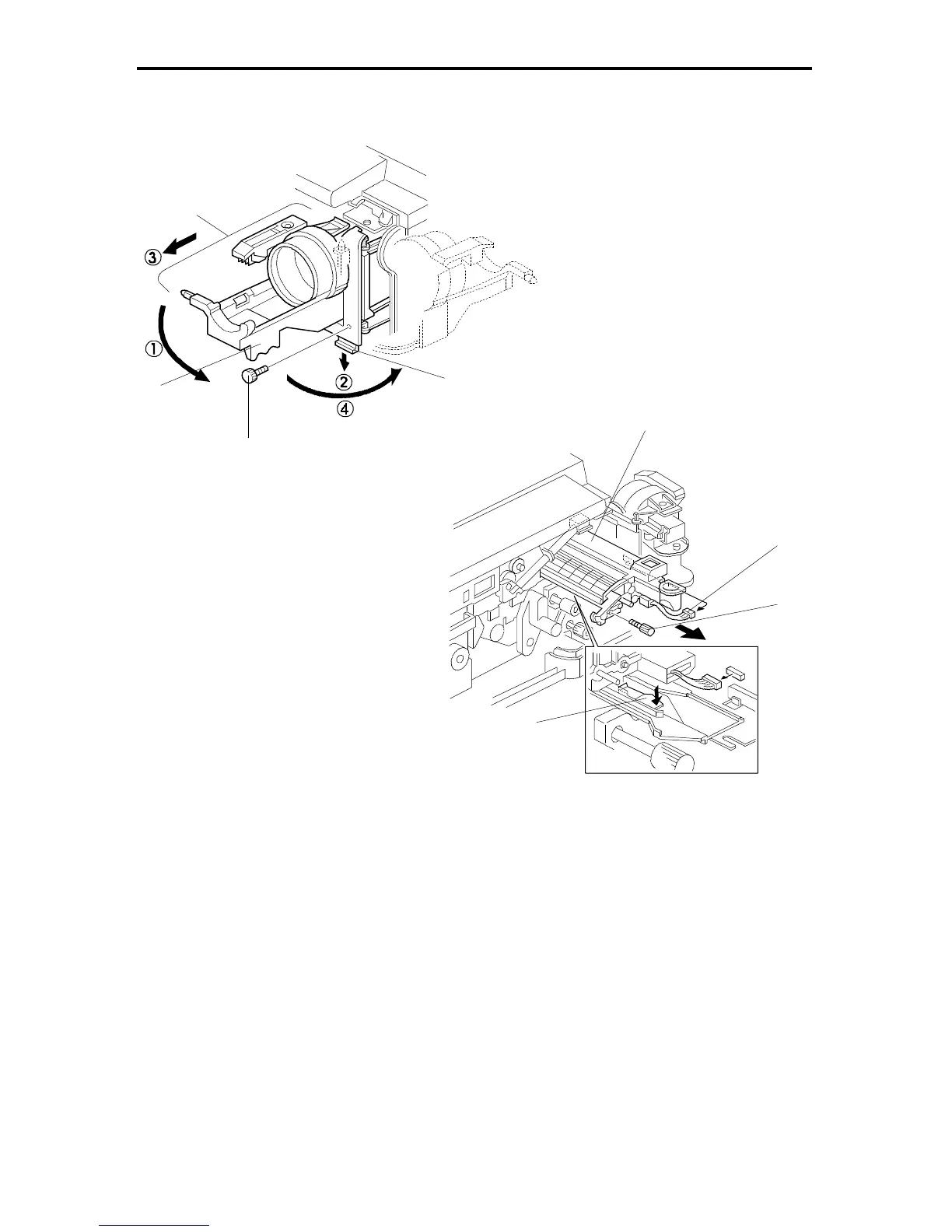
3.1 DEVELOPMENT UNIT REMOVAL
1. Turn off the main switch.
2. Open the front cover.
3. Remove the knob screw [A].
4. á Swing out bottle holder [B] and í pull down the lock lever [C].
ó Then slide out the bottle holder assembly [D] and ú swing out the bottle
holder assembly.
5. Remove the knob screw [E] and disconnect the connector [F].
6. Press down the development unit lock lever [G] and pull out the development
unit [H]. Then place it on a clean sheet of paper.
Rev. 7/95
[H]
[F]
[E]
[D]
[C]
[B]
[A]
FT5535/4527/4522 5-12 FSM













 To Next Page