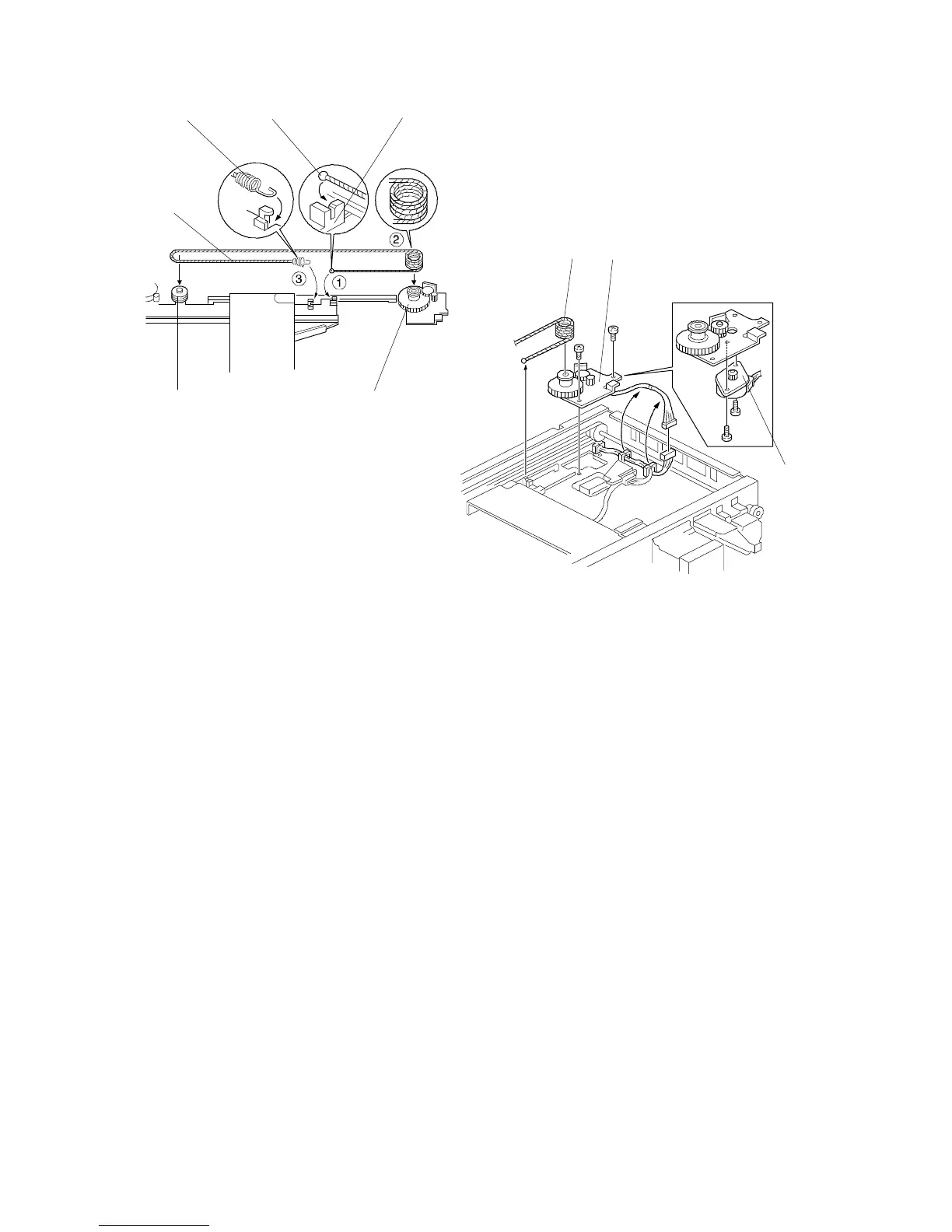
2.6 LENS VERTICAL DRIVE MOTOR REPLACEMENT
1. Perform steps 1 to 5 of the 3rd scanner motor replacement.
2. Remove the tension spring [A] and the lens drive wire [B].
3. Remove the lens vertical drive motor bracket [C] (2 screws, 2 clamps, and 1
connector).
4. Remove the motor [D] from the bracket (2 screws).
- Wire installation -
1. Place the bead [E] in the slot [F] and wind the drive wire four and a half times
around the pulley [G].
2. Wrap the wire around the wire pulley [H] and attach the spring [A] to the
bracket.
[A]
[E]
[F]
[G]
[H]
[B]
[B]
[C]
[D]
FSM 5-11 FT5535/4527/4522













 To Next Page