4. AROUND THE DRUM
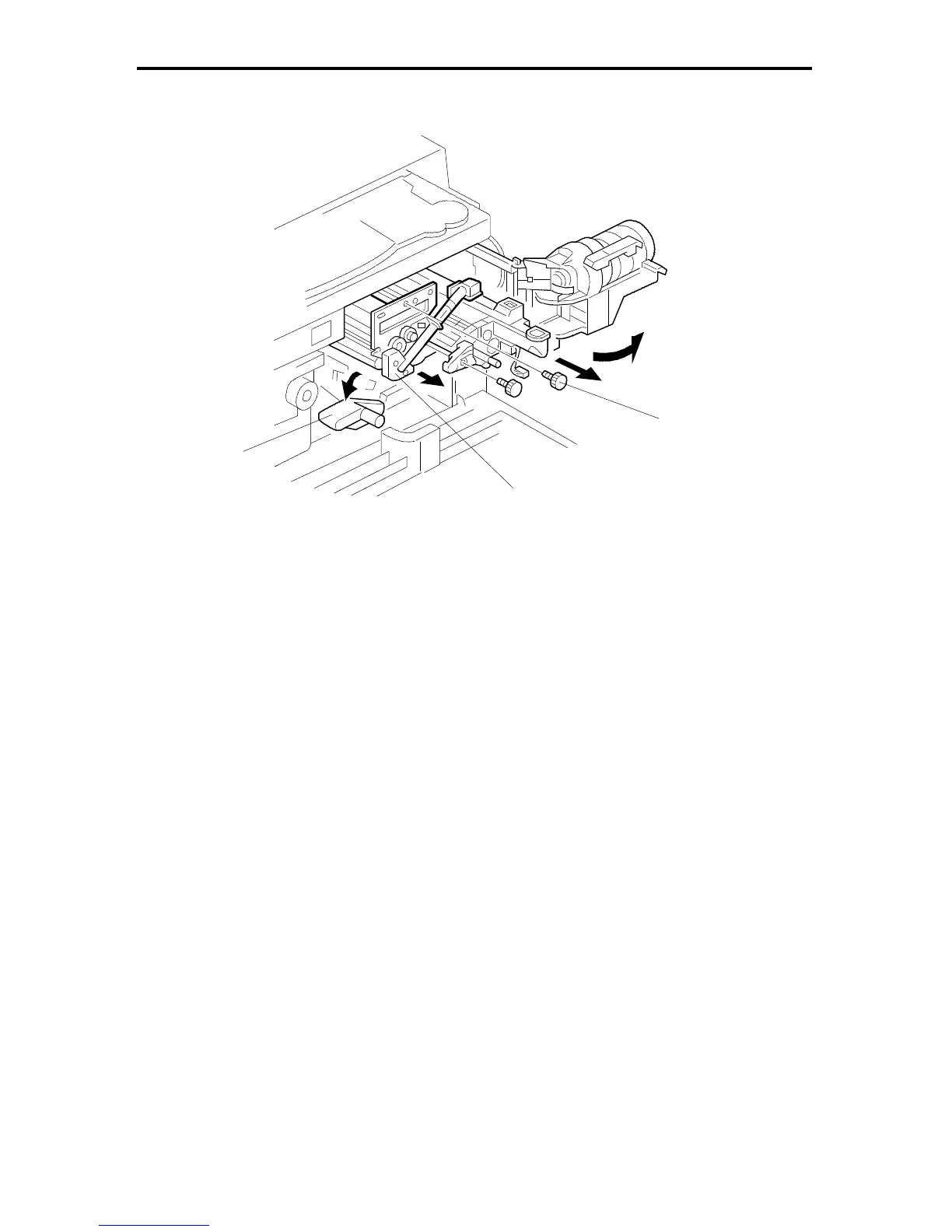
4.1 DRUM UNIT REMOVAL
1. Open the front cover and remove the development unit.
(See Development Unit Removal.)
2. Turn the "A1" lever [A] counterclockwise to lower the transfer belt unit.
3. Remove the knob screw [B].
4. Remove the drum unit [C].
NOTE: 1. Insert a clean sheet of paper between the drum and the drum charge
roller and wrap the drum up with the paper. Doing so prevents the
drum charge roller from sticking to the drum. Also, the paper protects
the drum from light fatigue.
2. Place the drum unit on a clean sheet of paper.
[A]
[B]
FT5535/4527/4522 5-16 FSM













 To Next Page