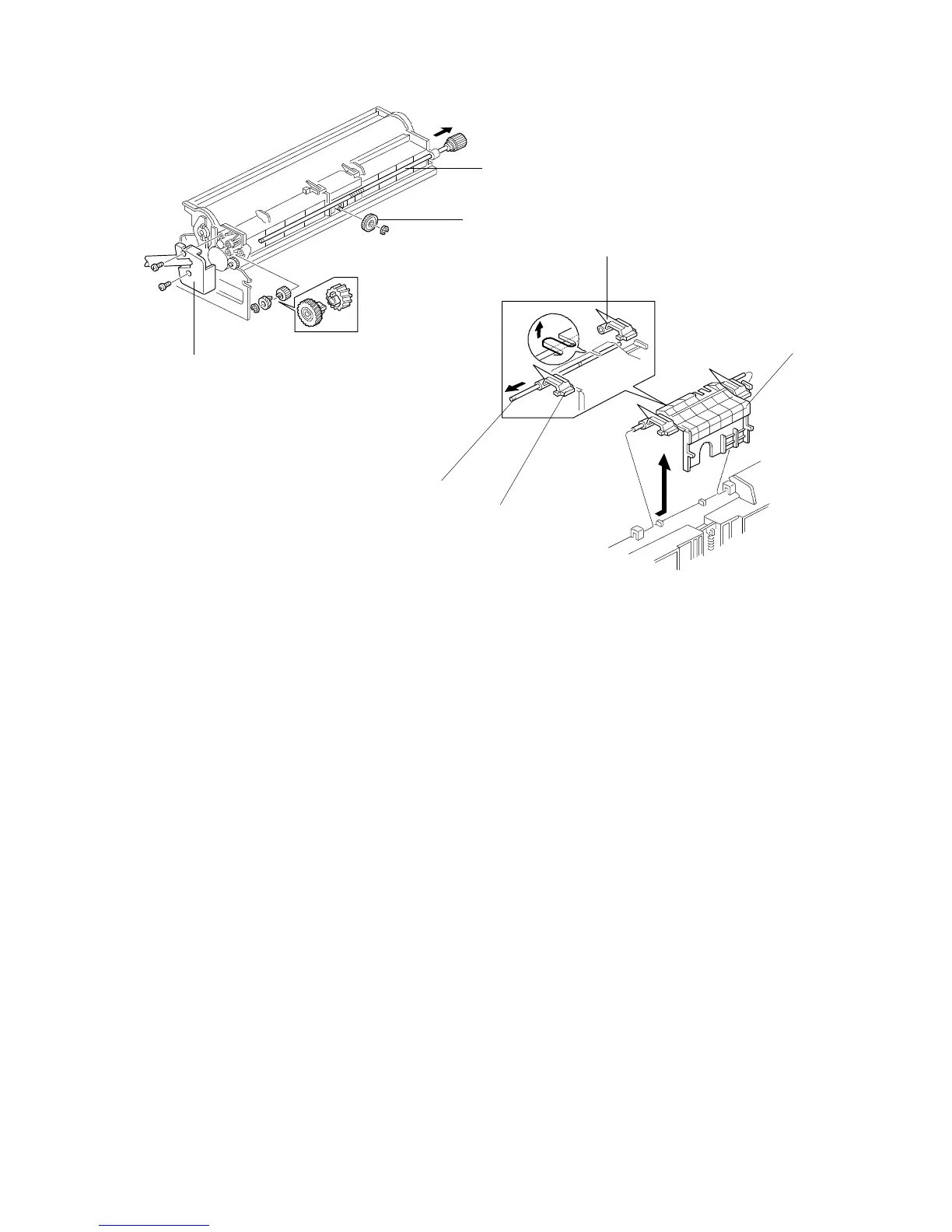
4.3 PICK-OFF PAWL REPLACEMENT
1. Remove the drum unit. (See Drum Unit Removal.)
2. Remove the gear [A] (one E-ring).
3. Remove the recycled toner transport coil ass’y [B] (2 screws).
4. Remove the shaft [C] (one E-ring and two gears).
5. Remove the pick-off pawl ass’y [D] while sliding it sideways.
6. Remove the pick-off pawls [E] (one shaft [F]).
[C]
[A]
[B]
[E]
[D]
[E]
[F]
FSM 5-19 FT5535/4527/4522













 To Next Page