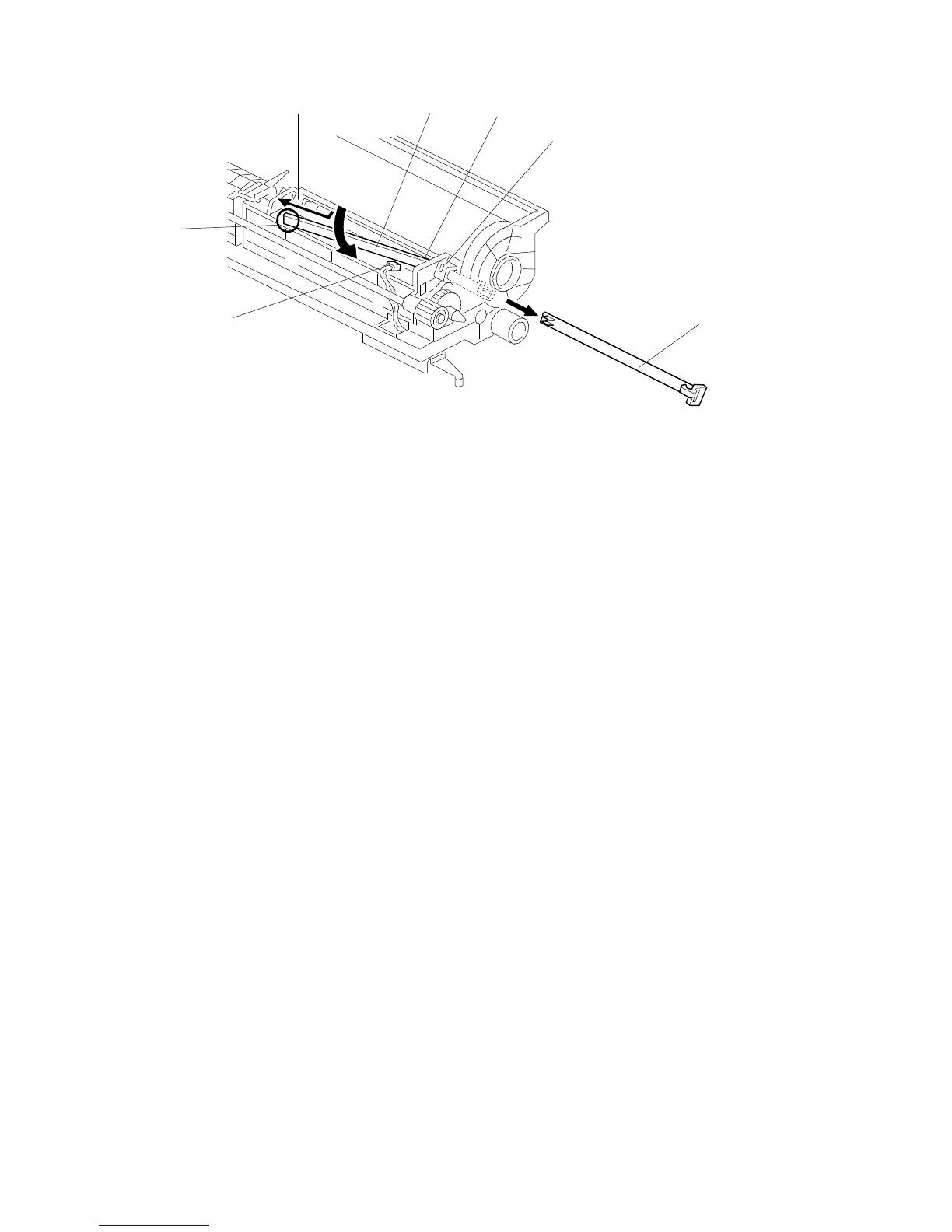
4.4 ID SENSOR BOARD REPLACEMENT
1. Remove the drum unit. (See Drum Unit Removal.)
2. Remove the ID sensor supporter [A] (one snap pawl).
3. Disconnect the connector [B].
4. Pull the ID sensor board [C] sideways and remove the end [D] from the ID
sensor board holder [E].
5. Remove the other end of ID sensor board [F] from the holder [G] while rolling
the ID sensor board in the direction of the arrow as shown in the diagram.
6. Remove the ID sensor board.
[A]
[B]
[D]
[E]
[C]
[F]
[G]
FT5535/4527/4522 5-20 FSM













 To Next Page