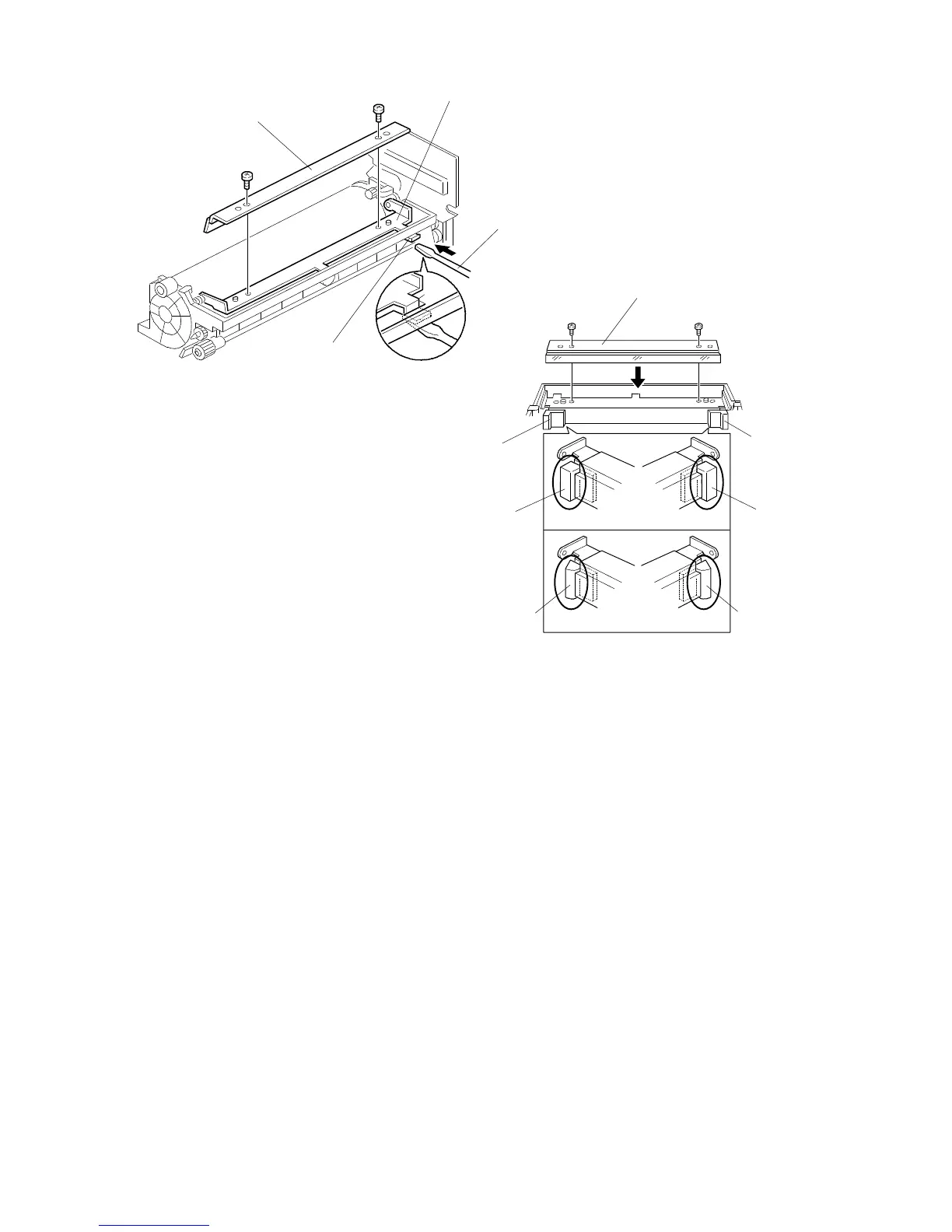
4.5 DRUM CLEANING BLADE REPLACEMENT
1. Remove the drum unit. (See Drum Unit Removal.)
2. Remove the drum charge roller ass’y (see Drum Charge Roller Replacement).
3. Insert a small screwdriver [A] under the cleaning blade release lever [B] to
release the cleaning blade holder [C].
4. Remove the old cleaning blade [D] (2 screws).
5. Install the new cleaning blade [E] (2 screws).
NOTE: 1. Check that there is no dust on the edge of the new cleaning blade.
2. When installing the new cleaning blade, be sure not to deform the
sponge seal [F] at both sides of the cleaning blade holder.
[D]
[C]
[A]
[B]
[E]
[F]
[F]
Good
No good
Good
No good
FSM 5-21 FT5535/4527/4522













 To Next Page