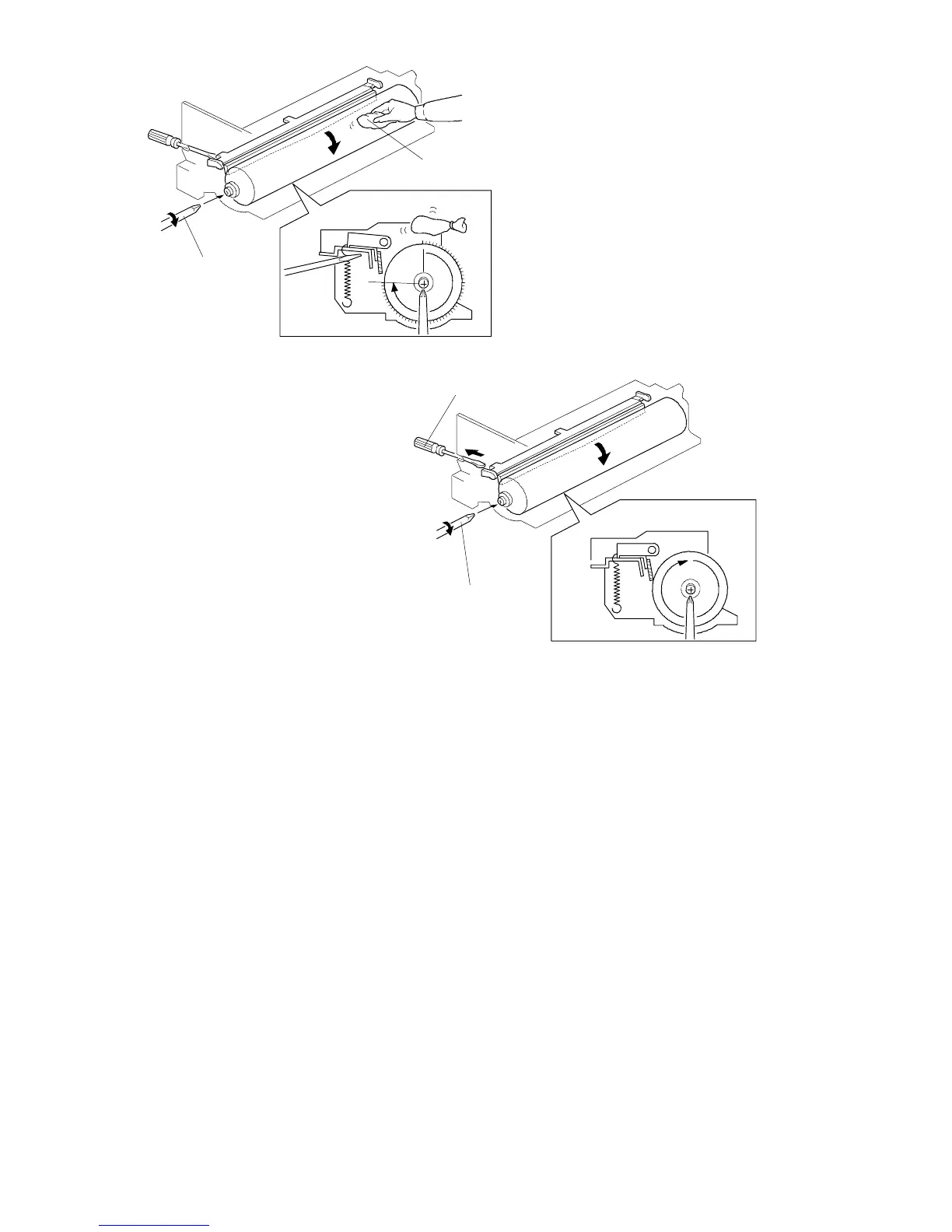
6. Apply setting powder [A] to the surface of the drum, and rotate the drum with
another screwdriver [B] clockwise until the area covered with setting powder
has almost reached the cleaning blade.
7. Remove the small screwdriver [C] so that the cleaning blade will press
against the drum. Then rotate the drum clockwise with the screwdriver [B].
Check whether the drum rotates smoothly without catching the blade (if it
does not, repeat steps 6 and 7).
8. Reinstall the drum charge roller ass’y on the drum unit (2 screws, 1
connector).
NOTE: Before reinstalling the drum charge roller ass’y on the drum unit, be
sure that no setting powder remains on the drum. If setting powder
gets onto the drum charge roller, copy quality problems will occur.
[C]
[B]
[A]
[B]
FT5535/4527/4522 5-22 FSM













 To Next Page