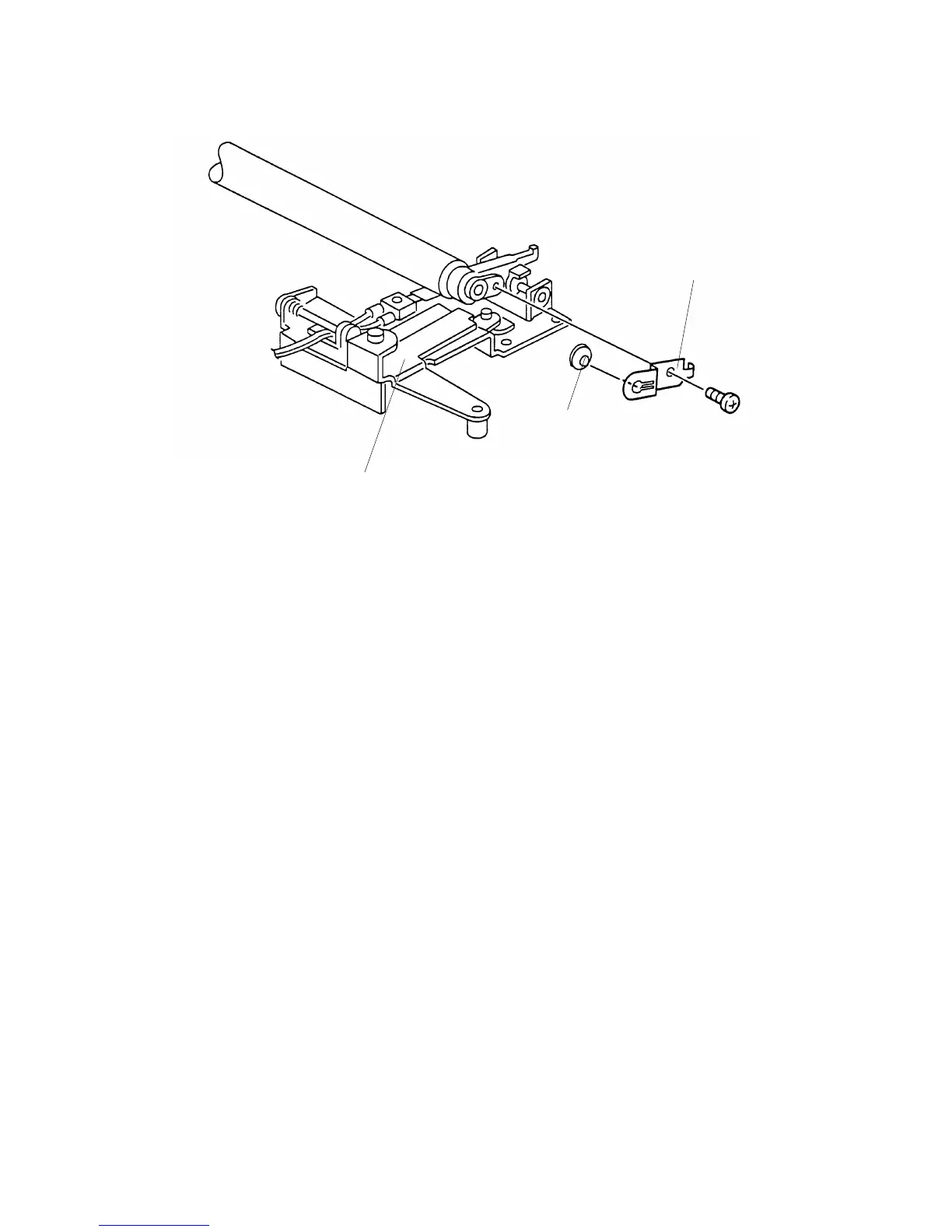
4.10 DRUM CHARGE ROLLER TERMINAL REPLACEMENT
1. Remove the drum charge roller ass’y.
2. Place the drum charge roller ass’y [A] on a clean sheet of paper.
3. Remove the drum charge roller terminal [B] (1 screw).
4. Remove the roller terminal [C] (1 hook).
NOTE: 1. Never touch the surface of the drum charge roller.
2. If there is any dirt on the surface of the drum charge roller, wipe it off
with a dry cloth or a special cloth for the drum charge roller. (The
special cloth is available as a service part: A1539004.) Never use
alcohol or water to clean the drum charge roller.
3. When replacing the drum charge roller terminal [B], replace also the
roller terminal [C] at the same time.
Rev. 6/16/95
[A]
[C]
FSM 5-27 FT5535/4527/4522













 To Next Page