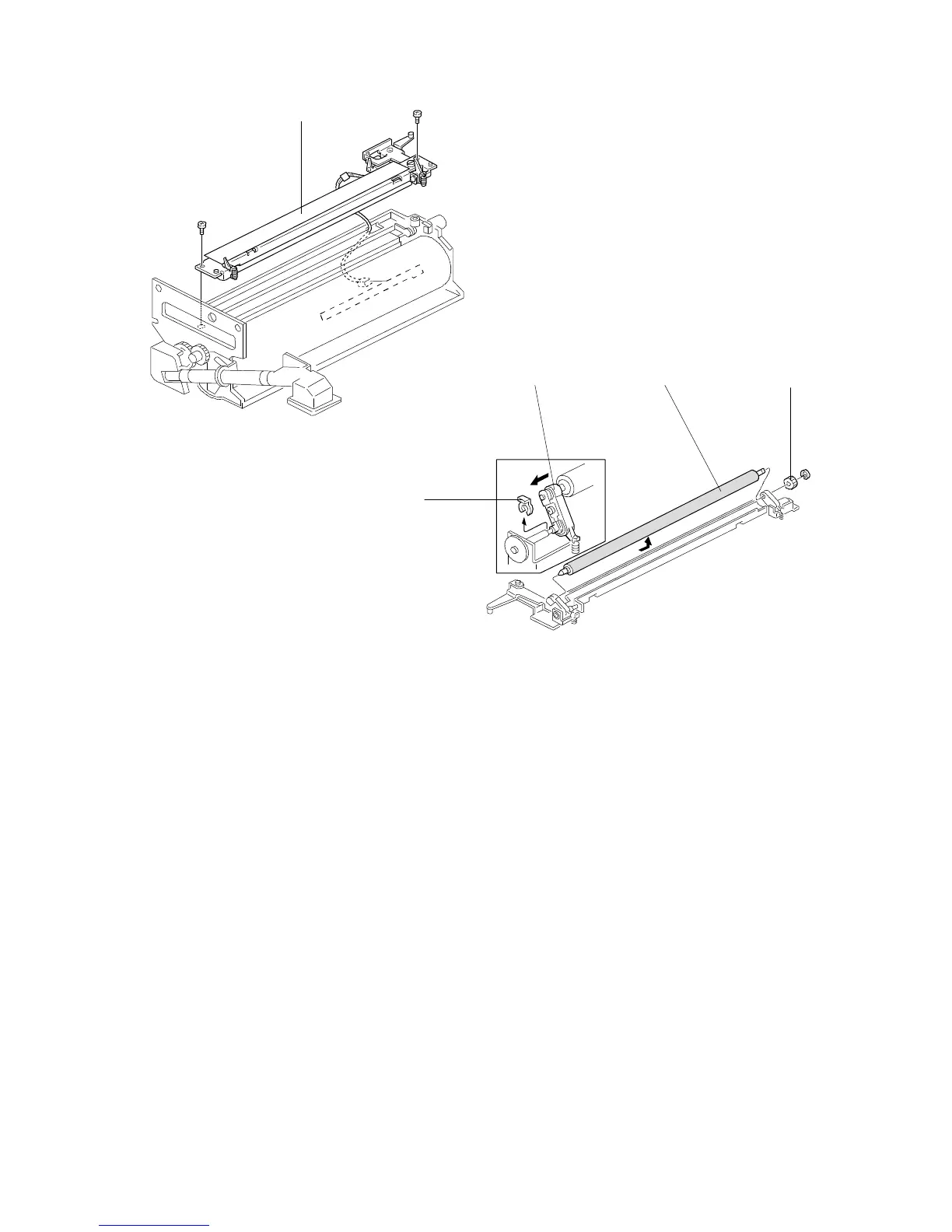
4.9 DRUM CHARGE ROLLER REPLACEMENT
1. Remove the following parts:
• Development unit
• Drum unit
2. Remove the drum charge roller ass’y [A] (2 screws, 1 connector).
3. Place the drum charge roller ass’y on a clean sheet of paper as shown.
4. Remove the gear [B] (one E-ring) and remove the snap ring [C].
5. Remove the drum charge roller [D] while sliding the bearing [E] in the
direction of the arrow as shown in the diagram.
NOTE: 1. Never touch the surface of the drum charge roller.
2. If there is any dirt on the surface of drum charge roller, wipe it off with
a dry cloth or a special cloth for the drum charge roller. (The special
cloth is available as a service part: A1539004) Never use alcohol or
water to clean the drum charge roller.
[A]
[C]
[E]
[B]
FT5535/4527/4522 5-26 FSM













 To Next Page