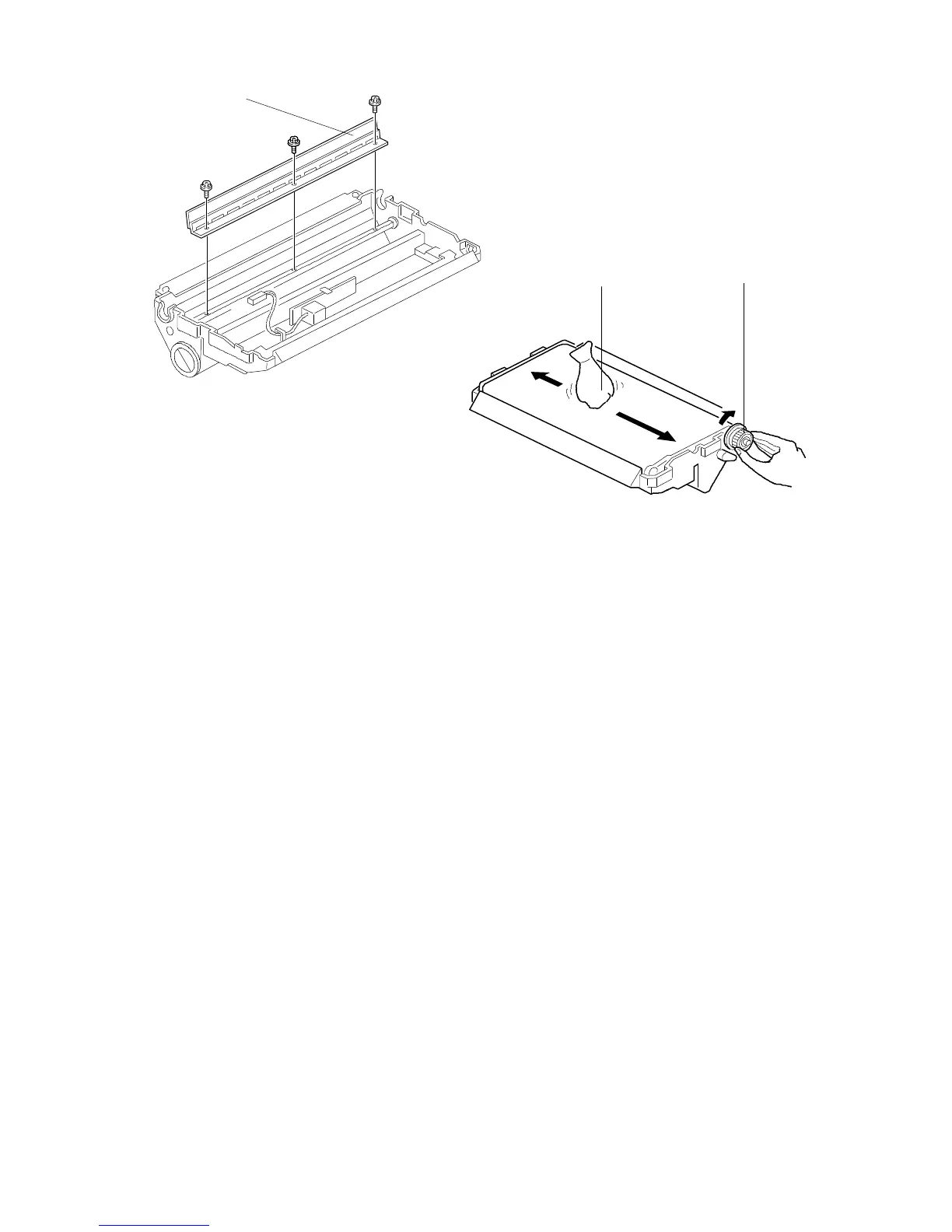
5.3 TRANSFER BELT CLEANING BLADE REPLACEMENT
1. Remove the transfer belt ass’y. (See "Transfer Belt Unit Removal".)
2. Remove the transfer belt cleaning blade [A] (three screws).
3. Install the new transfer belt cleaning blade.
4. Reinstall the transfer belt ass’y in the transfer belt unit.
5. Apply setting powder [B] to the transfer belt.
6. Rotate the gear [C] clockwise to apply the setting powder evenly to the edge
of the transfer belt cleaning blade.
7. Do steps 5 and 6 two or three times.
NOTE: Steps 5 and 6 prevent the transfer belt cleaning blade from catching the
transfer belt.
[A]
[C]
[B]
FSM 5-31 FT5535/4527/4522













 To Next Page