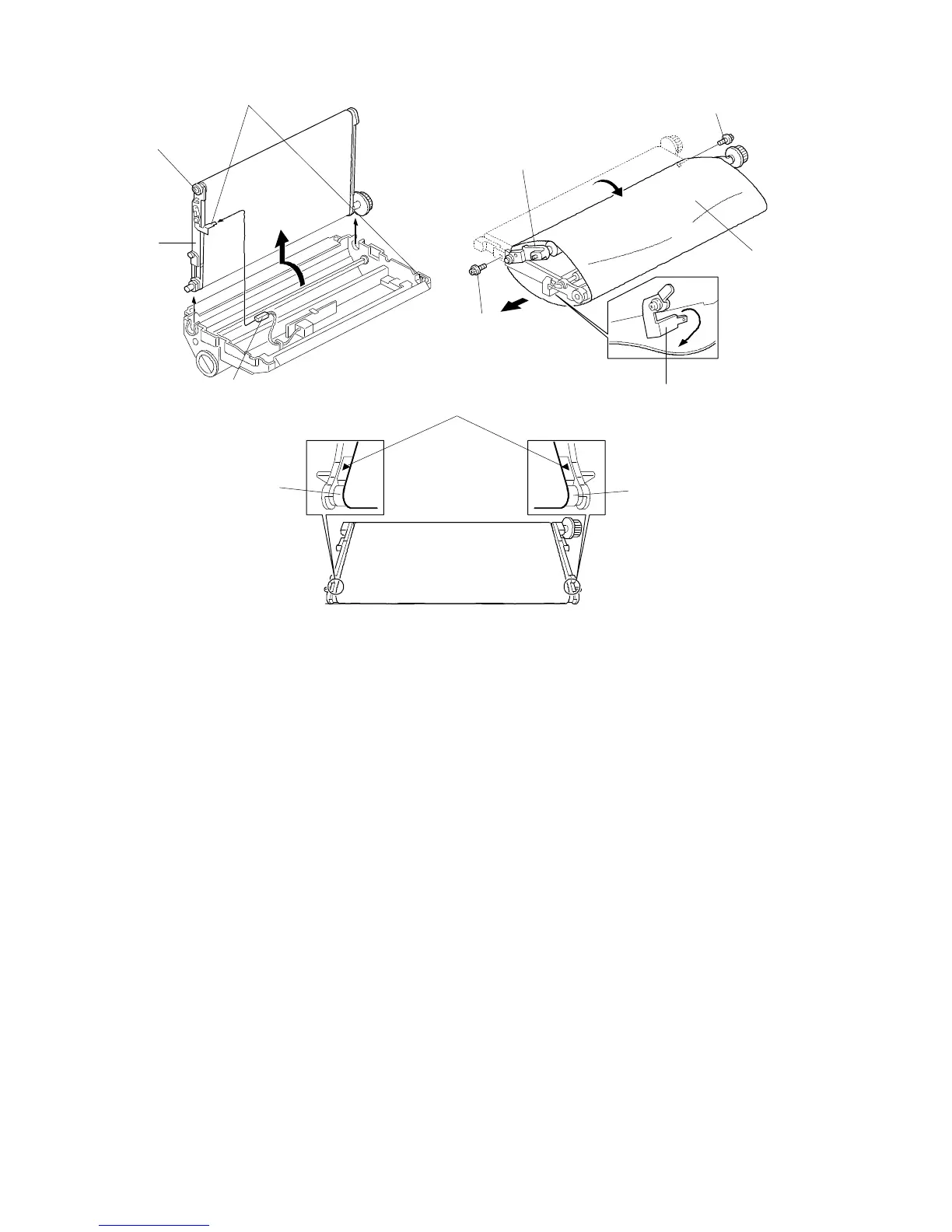
5.2 TRANSFER BELT REPLACEMENT
1. Remove the transfer belt unit.
2. While raising the knob [A], disconnect the connector [B].
NOTE: 1) Never touch the transfer belt.
2) Be careful not to bend the high voltage terminals [C].
3. Turn the transfer belt ass’y [D] 90 degrees counterclockwise, then raise it and
remove it.
4. Remove the screws [E] and turn the belt drive holder [F].
5. Replace the transfer belt [G].
NOTE: Be careful not to bend the high voltage terminal [H].
6. Position the transfer belt at the center of the belt roller [I]. (Both marks [J]
should be visible.)
[F]
[H]
[E]
[G]
[E]
[I]
[J]
[A]
[D]
[C]
[B]
FT5535/4527/4522 5-30 FSM













 To Next Page