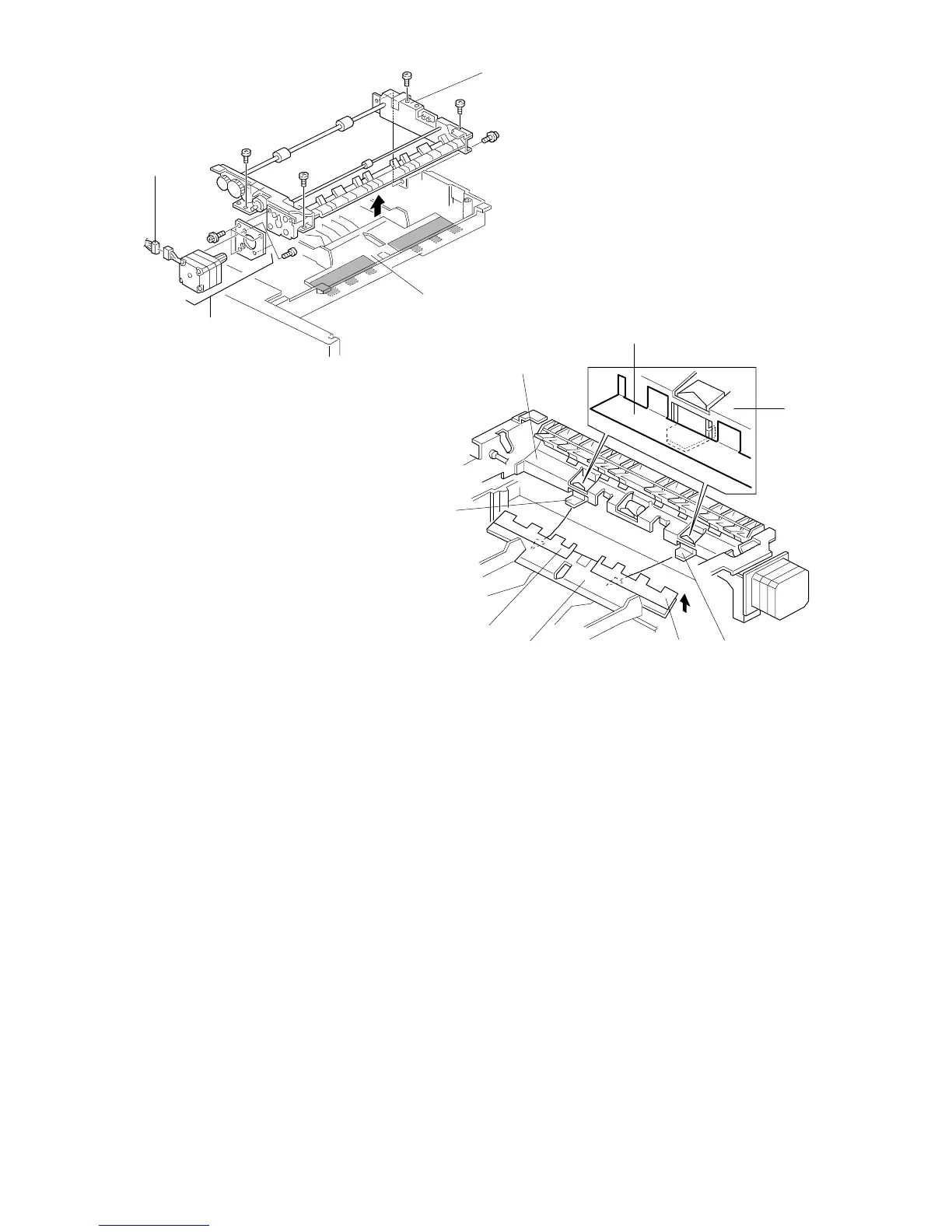
9. Disconnect the motor harness [A].
10. Move the jogger fence inward and remove the paper feed assembly [B]
(5 screws).
11. Remove the duplex feed motor assembly [C] (3 screws).
12. Replace the duplex feed motor [D] (2 screws).
NOTE: 1) When installing the paper feed assembly, make sure that the bottom
plate [E] is on top of the bracket [F] as shown.
2) When installing the paper feed assembly, make sure that the mylar [G]
on the bottom plate is on top of the guide plate [H] as shown.
[C]
[A]
[B]
[E]
[H]
[G]
[H]
[F]
[G]
[E]
[F]
FT5535/4527/4522 5-50 FSM













 To Next Page