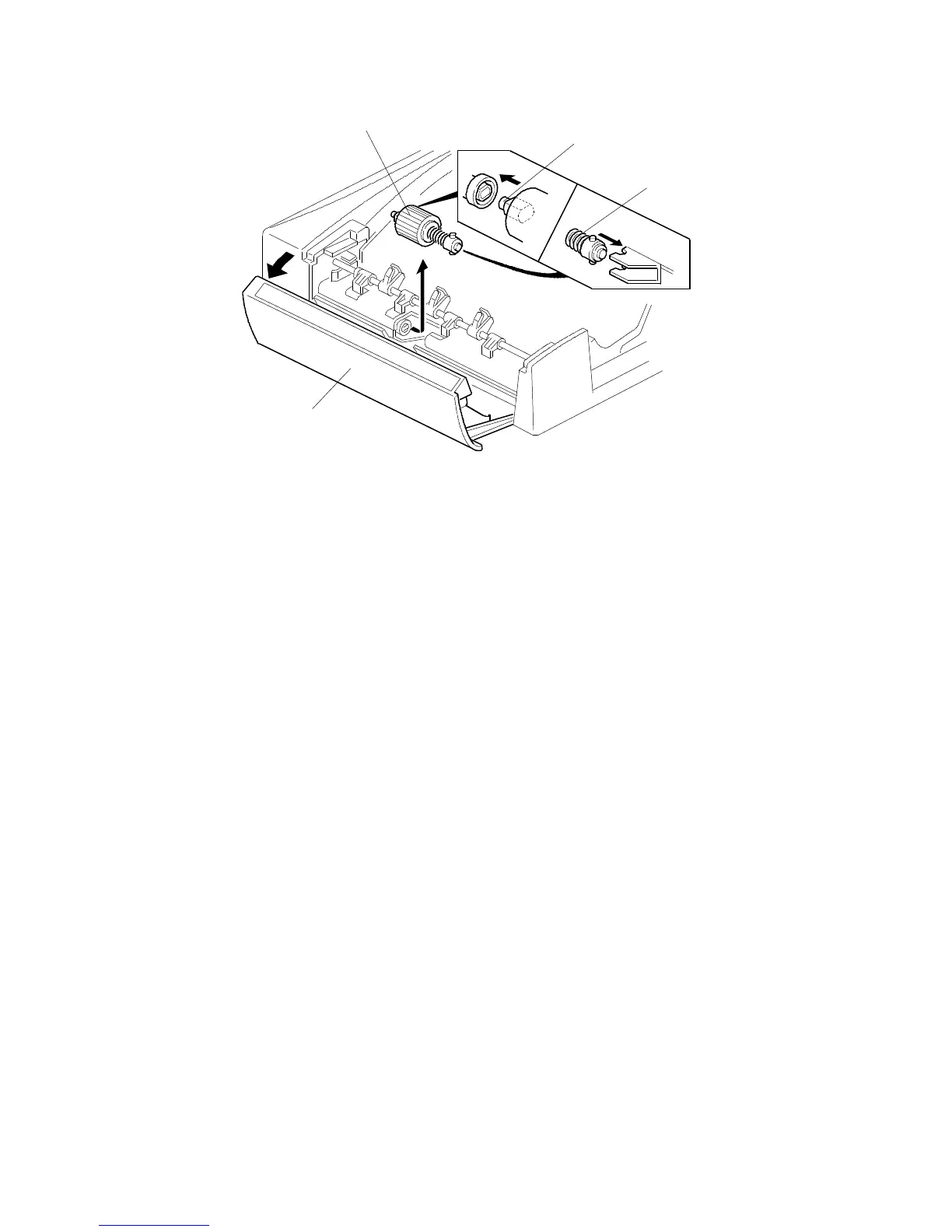
6.2 FEED ROLLER REPLACEMENT
1. Turn off the main switch and open the feed-in cover [A].
2. Remove the feed roller assembly [B] by pulling it towards the front.
3. Replace the feed roller.
NOTE: When installing the feed roller assembly, make sure the pins [C, D] on
both sides are fixed properly.
[B]
[D]
[C]
[A]
FT5535/4527/4522 7-10 FSM













 To Next Page