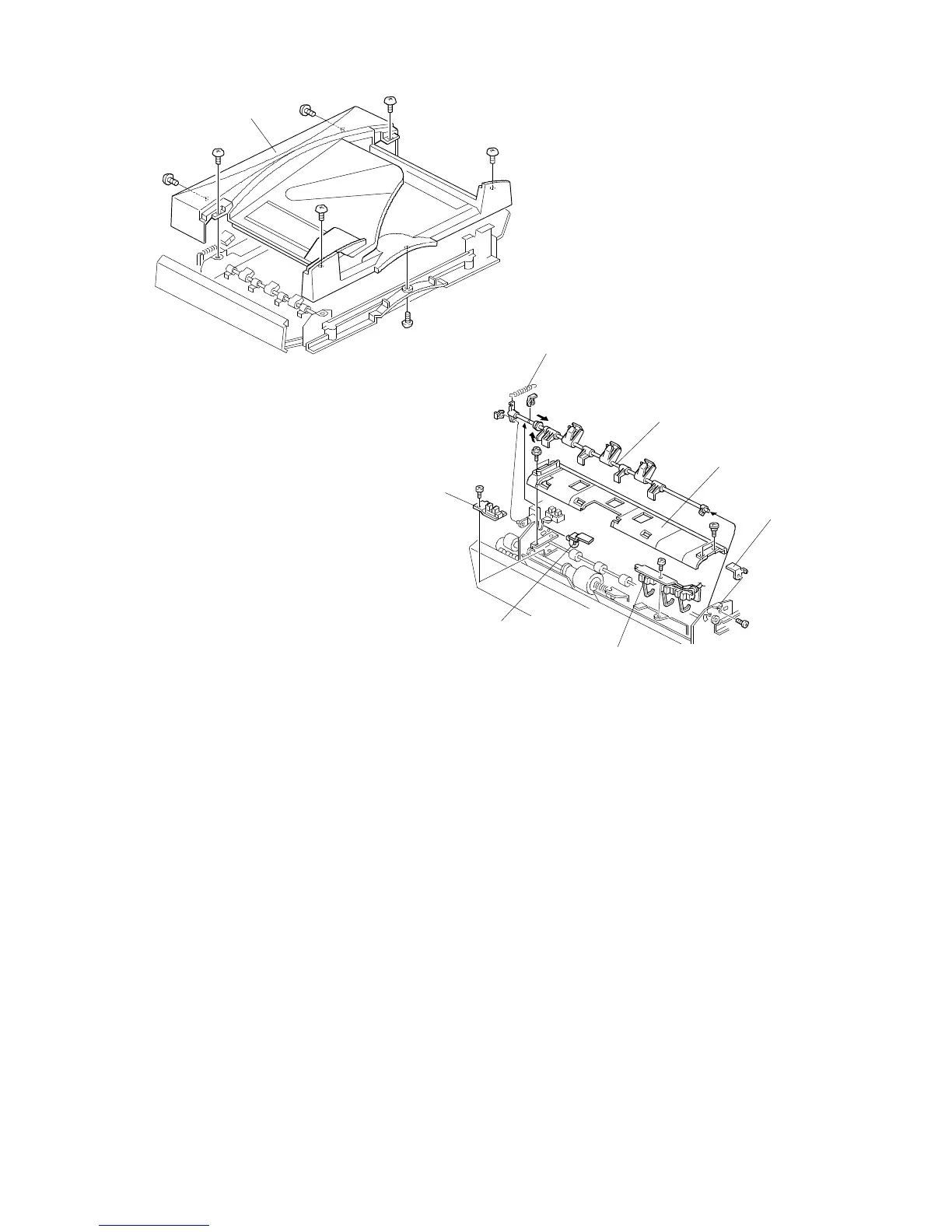
6.4 ORIGINAL SET AND ORIGINAL WIDTH SENSOR
REPLACEMENT
1. Turn off the main switch.
2. Remove the upper cover [A] (7 screws).
3. Remove the pick-up solenoid spring [B].
4. Remove the stopper/pressure lever shaft [C] (2 E-rings).
5. Remove both front [D] and rear [E] feed-in cover magnet catches (1 screw
each).
6. Remove the feed-in guide plate [F] (4 screws).
7. Remove the original set sensor assembly [G] (1 screw).
8. Remove the original width sensor assembly [H] (1 screw).
9. Replace the required sensor.
[A]
[B]
[F]
[D]
[E]
[G]
[H]
FT5535/4527/4522 7-12 FSM













 To Next Page