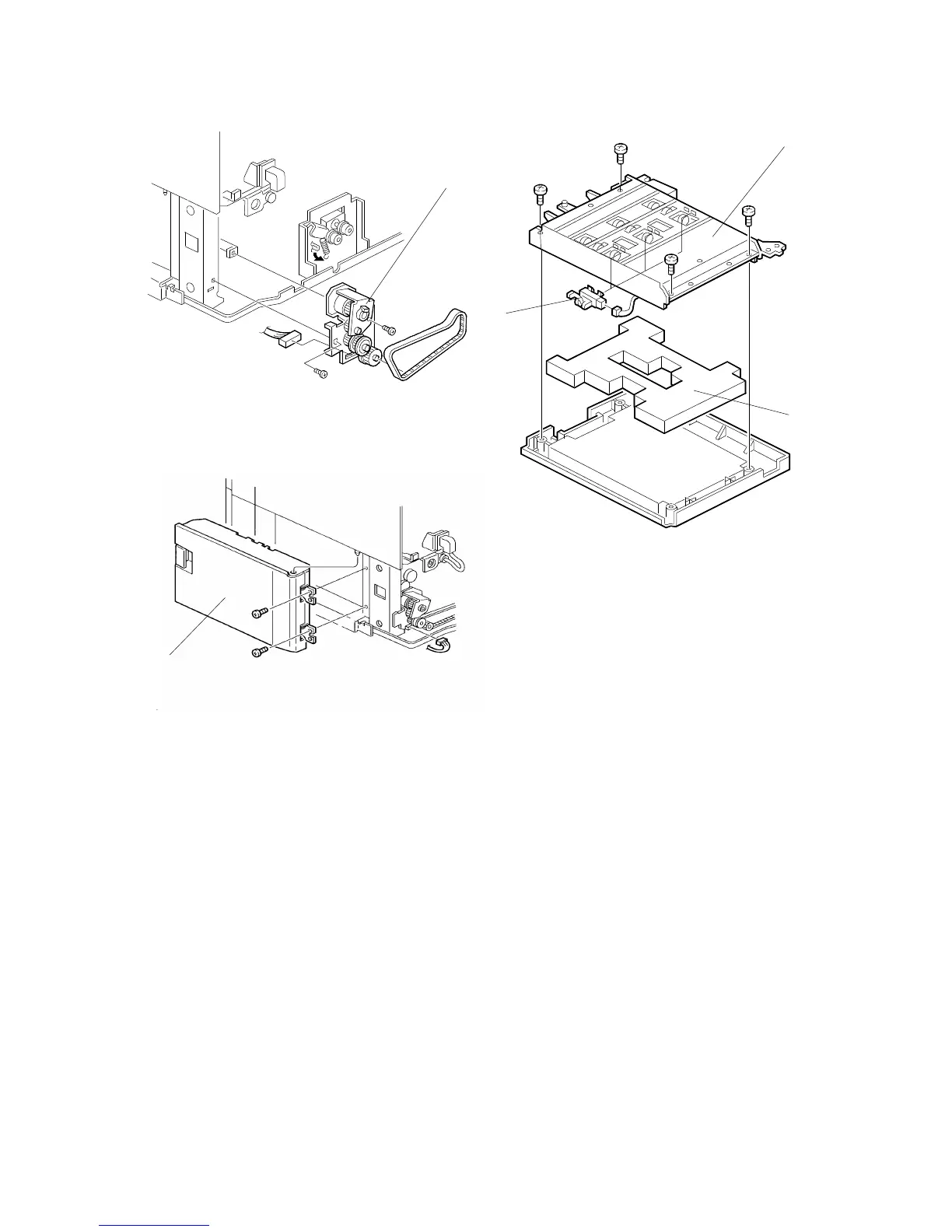
5.5 RELAY SENSOR REPLACEMENT
1. Remove the rear cover (see Exterior Cover Removal).
2. Remove the right rear cover (see Exterior Cover Removal).
3. Remove the drive unit [A] (2 screws, 2 connectors).
4. Remove the vertical transport unit [B] (2 screws).
5. Remove the vertical transport guide [C] (4 screws).
6. Remove the sponge [D].
7. Remove the relay sensors [E] (1 connector each).
[B]
[A]
[C]
[E]
[D]
FSM 8-15 FT5535/4527/4522













 To Next Page