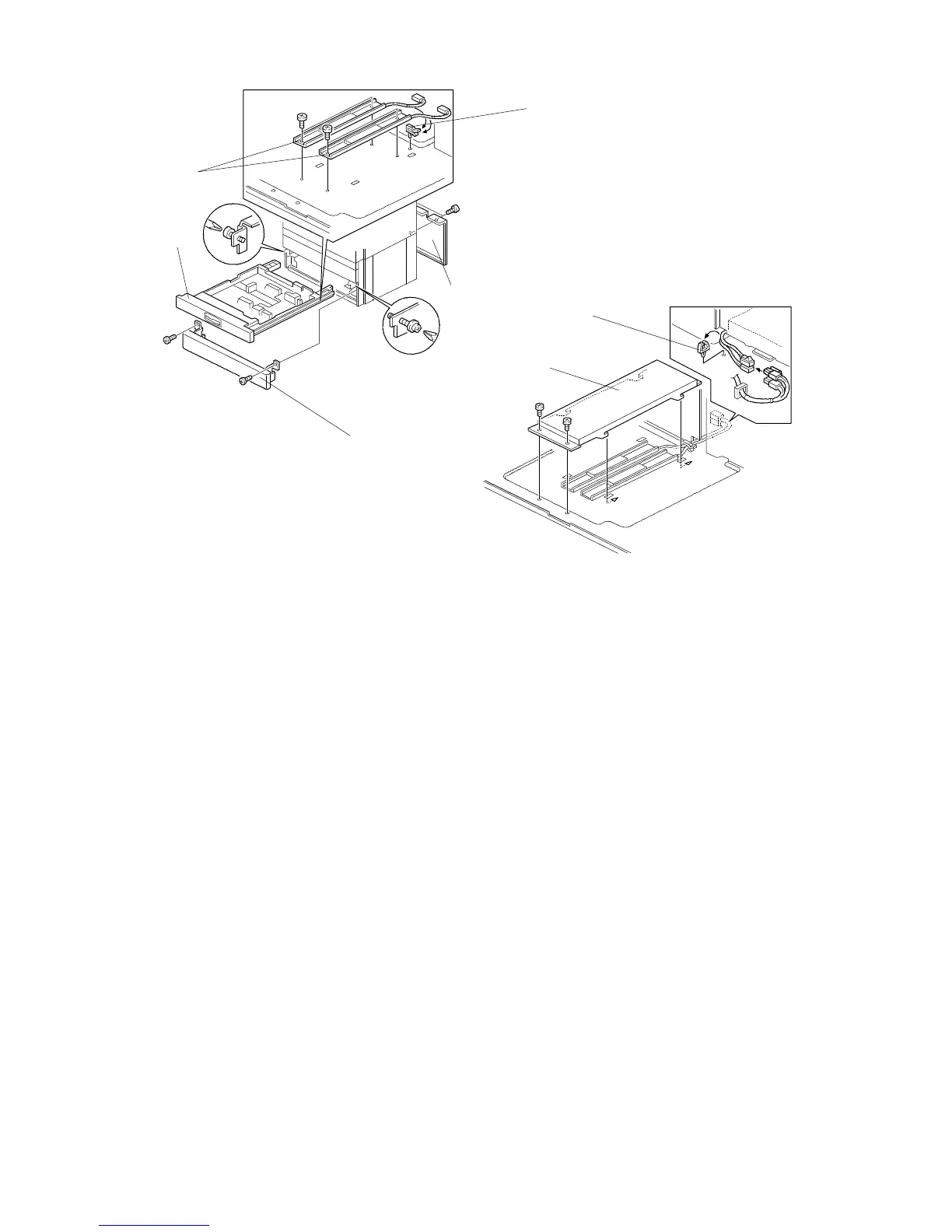
3.3 TRAY HEATER (OPTION)
1. Remove the rear cover [A].
2. Remove the second paper tray [B] (2 screws) and the lower front cover [C] (2
screws).
3. Install the tray heaters [D] (2 screws each).
4. Install the clamper [E] and clamp the heater harnesses.
5. Install the heater bracket [F] (2 screws).
6. Connect the heater harnesses.
7. Install the clamper [G] and clamp the heater harnesses.
NOTE: After replacing the paper tray, perform the side-to-side registration
adjustment (see the Removal and Adjustment section of the manual for
the copier).
[A]
[C]
[G]
FSM 9-7 FT5535/4527/4522













 To Next Page