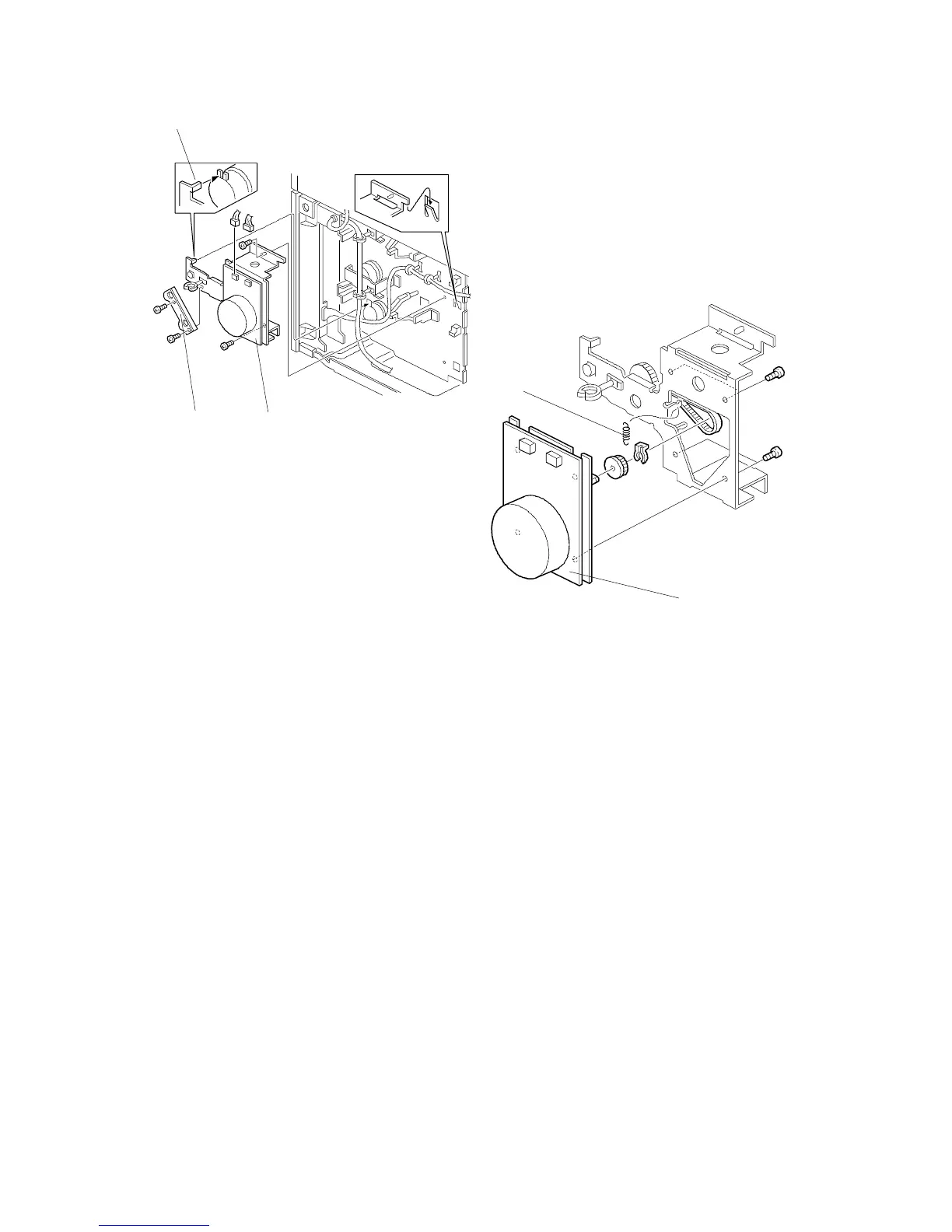
5.2 MAIN MOTOR REPLACEMENT
1. Remove the rear cover (see Exterior Cover Removal).
2. Remove the link bracket [A] (2 screws).
3. Remove the main motor bracket assembly [B] (2 screws, 2 connectors).
4. Remove the spring [C].
5. Remove the main motor [D] (4 screws, 1 clip, 1 gear).
NOTE: When reinstalling the main motor assembly, make sure that the relay
clutch stopper groove engages with the stopper [E] on the main motor
bracket.
[A] [B]
[E]
[D]
[C]
FSM 9-11 FT5535/4527/4522













 To Next Page