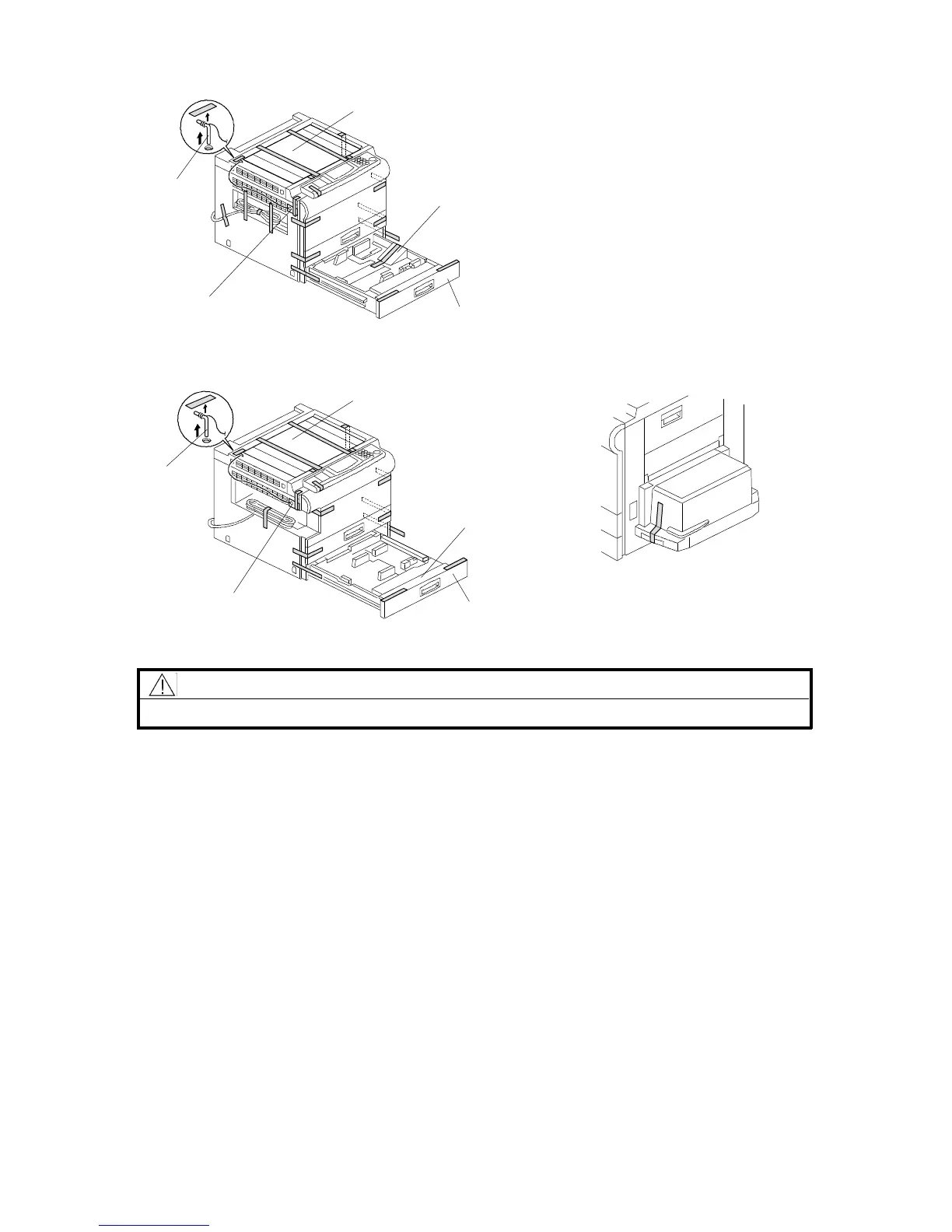
2.2 COPIER INSTALLATION PROCEDURE
CAUTION
Never lift the machine by holding the LCT, or the LCT will break.
NOTE: (1) Keep the shipping retainers after installing the machine. They will be
reused if the machine is moved to another location in the future.
(2) Proper reinstallation of the shipping retainers is required in order to
avoid any transport damage. It is most important to put back the
scanner lock pin when transporting this copier. If not, skewed image
may result.
1. Remove the scanner lock pin [A] and red tag [B] as shown.
2. A155/A156/A159/A160 copiers only: Remove the strips of tape and the
sheet of paper [C]. Also, remove the strip of tape on the LCT.
3. Pull out the paper tray [D], and remove the strips of tape and the bottom plate
stopper [E]. Then install the paper tray in the copier (1 tray for duplex
machines and 2 trays for non-duplex machines).
Rev. 7/95
[A]
[E]
[D]
[B]
[C]
[A]
[E]
[D]
[B]
[C]
- A153/A155/A156 copiers -
- A157/A159/A160 copiers -
- A155/A156/A159/A160 copiers -
FSM 3-5 FT5535/4527/4522













 To Next Page