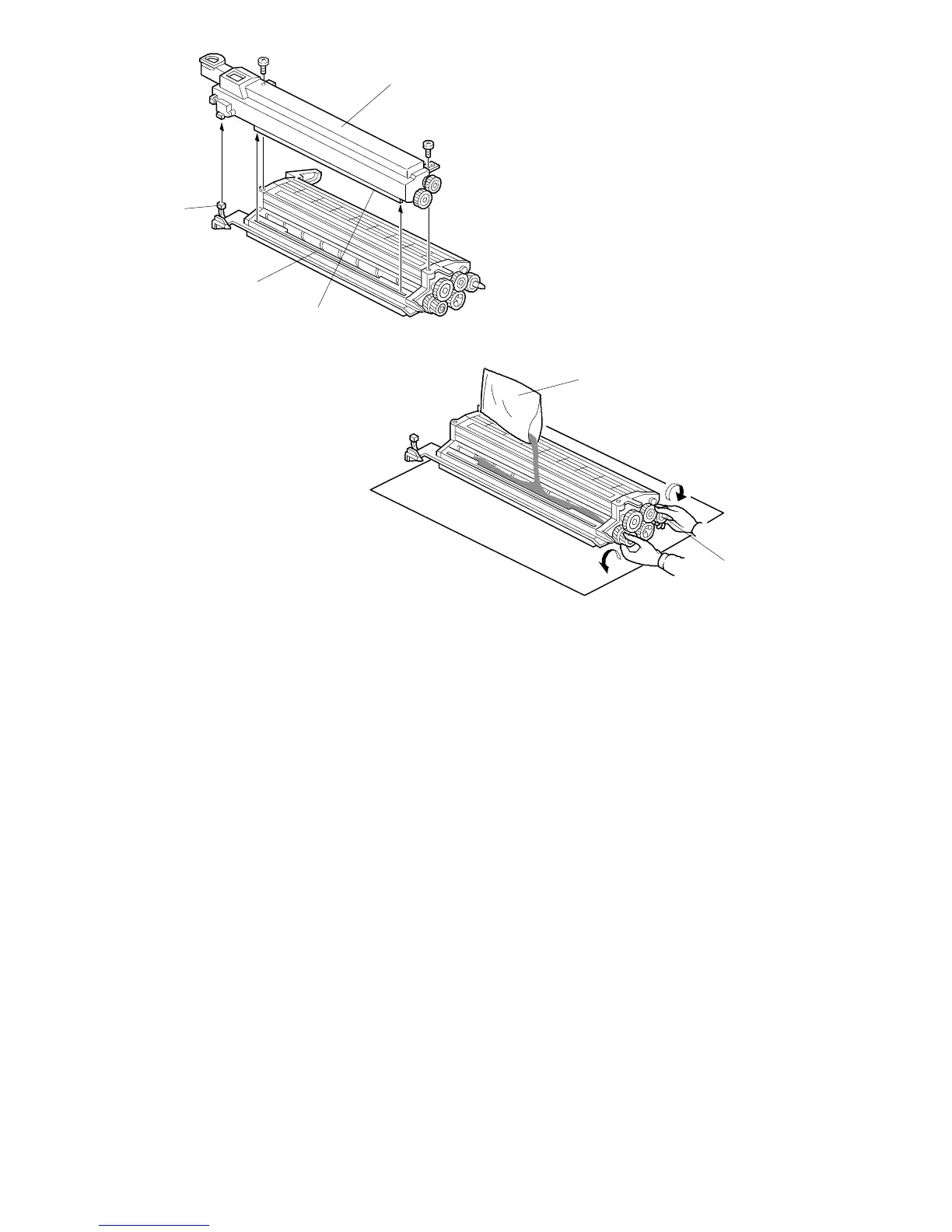
15. Disconnect the connector [A] and separate the toner supply unit [B] from the
development unit (2 screws).
16. Pour about half a pack of developer [C] into the development unit. Then
rotate the outer gear [D] as shown to distribute the developer evenly. Then
pour in all the remaining developer and rotate the gear again.
NOTE: To prevent the developer from spilling, do not rotate the gears in the
other direction.
17. Remount the toner supply unit on the development unit (2 screws) and
connect the white connector.
NOTE: Make sure that the positioning rib [E] sits in the groove [F].
18. Install the development unit in the copier (1 knob screw and 1 connector).
[B]
[E]
[F]
[A]
[C]
[D]
FSM 3-9 FT5535/4527/4522













 To Next Page