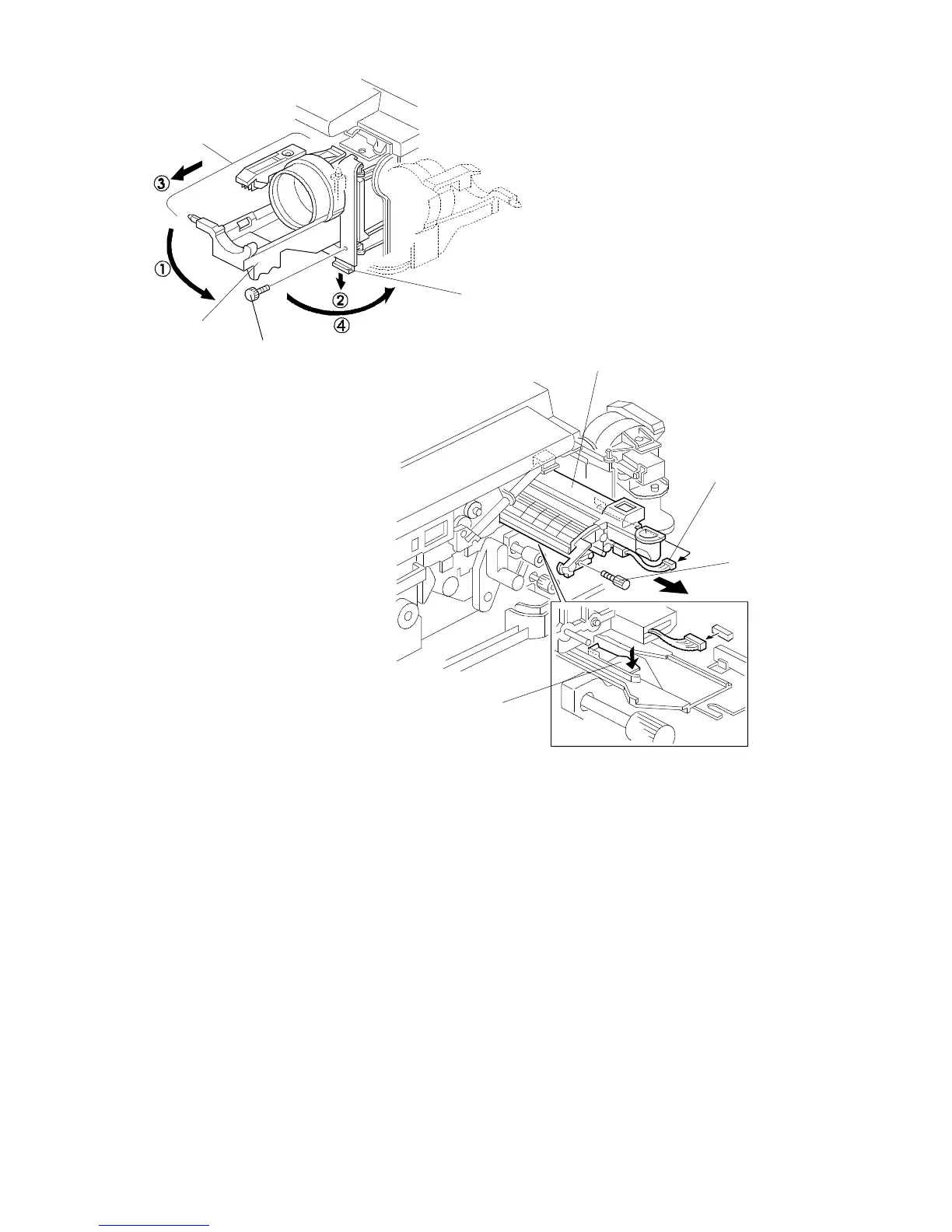
11. Remove the knob screw [A].
12. á Swing out the bottle holder [B] and í pull down the lock lever [C].
ó Then slide out the bottle holder assembly [D] and ú swing out the bottle
holder assembly [D].
13. Remove the knob screw [E] and disconnect the white connector [F].
14. Pull down the development unit lock lever [G] from under the plate and pull
out the development unit [H]. Then place it on a clean sheet of paper.
Rev. 7/95
[A]
[C]
[B]
[D]
[F]
[E]
[G]
[H]
FT5535/4527/4522 3-8 FSM













 To Next Page