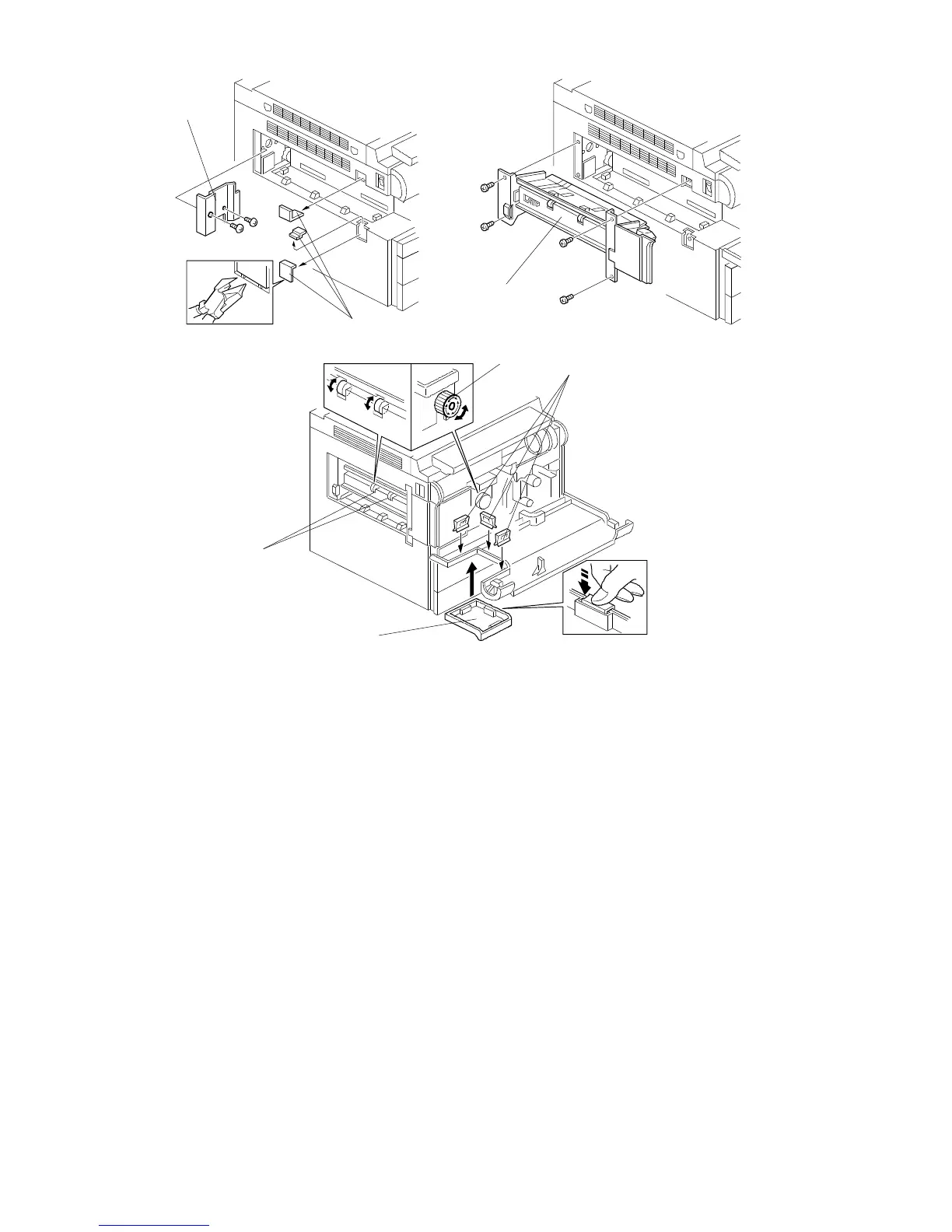
2.4.2 Installation Procedure
1. Remove the cover plate [A] (2 screws).
2. Remove the three plastic caps [B] from the copier left cover with nippers.
3. Install the sorter adapter [C] (4 tapping screws) in the paper exit section of
the copier.
4. Attach the sorter adapter front cover [D] to the copier front cover (3 clips [E])
as shown.
NOTE: Be sure to push the clips in completely.
5. Check that the rotation of the exit rollers [F] is synchronized with the rotation
of the fusing unit knob [G].
[A]
[B]
[C]
[D]
[F]
[G]
FT5535/4527/4522 3-18 FSM













 To Next Page