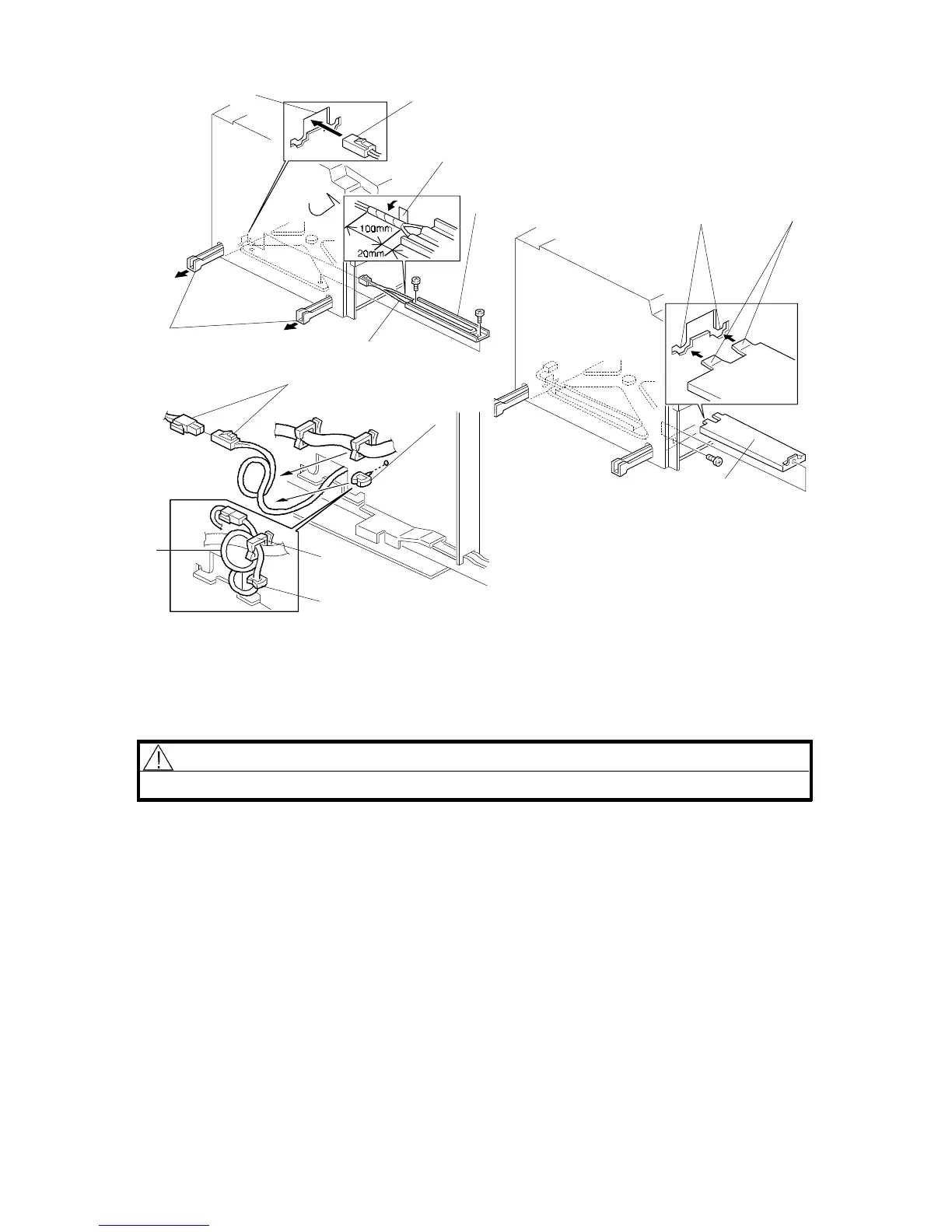
2.5 TRAY HEATER INSTALLATION (OPTION)
NOTE: The optional tray heater keeps copy paper dry. In humid environments,
copy paper may crease as it comes out of the fusing unit. The heater is
available as a service part. (See the parts catalog.)
CAUTION
Unplug the copier power cord before starting the following procedure.
If the 20 bin sorter stapler (A554) has been already installed, do step 1.
1. Remove the 20-bin sorter stapler and the sorter stapler mounting frame from
the copier. (See "20-BIN SORTER STAPLER INSTALLATION
PROCEDURE".)
2. A153, A155, A157, and A159 copiers: Remove the 1st and 2nd paper trays.
3. A156 and A160 copiers: Remove the duplex unit and the 1st paper tray.
Rev. 7/95
[G]
[I]
[K]
[J]
[L]
[M]
[J]
[B]
[A]
[F]
[C]
[D]
[E]
FSM 3-19 FT5535/4527/4522













 To Next Page