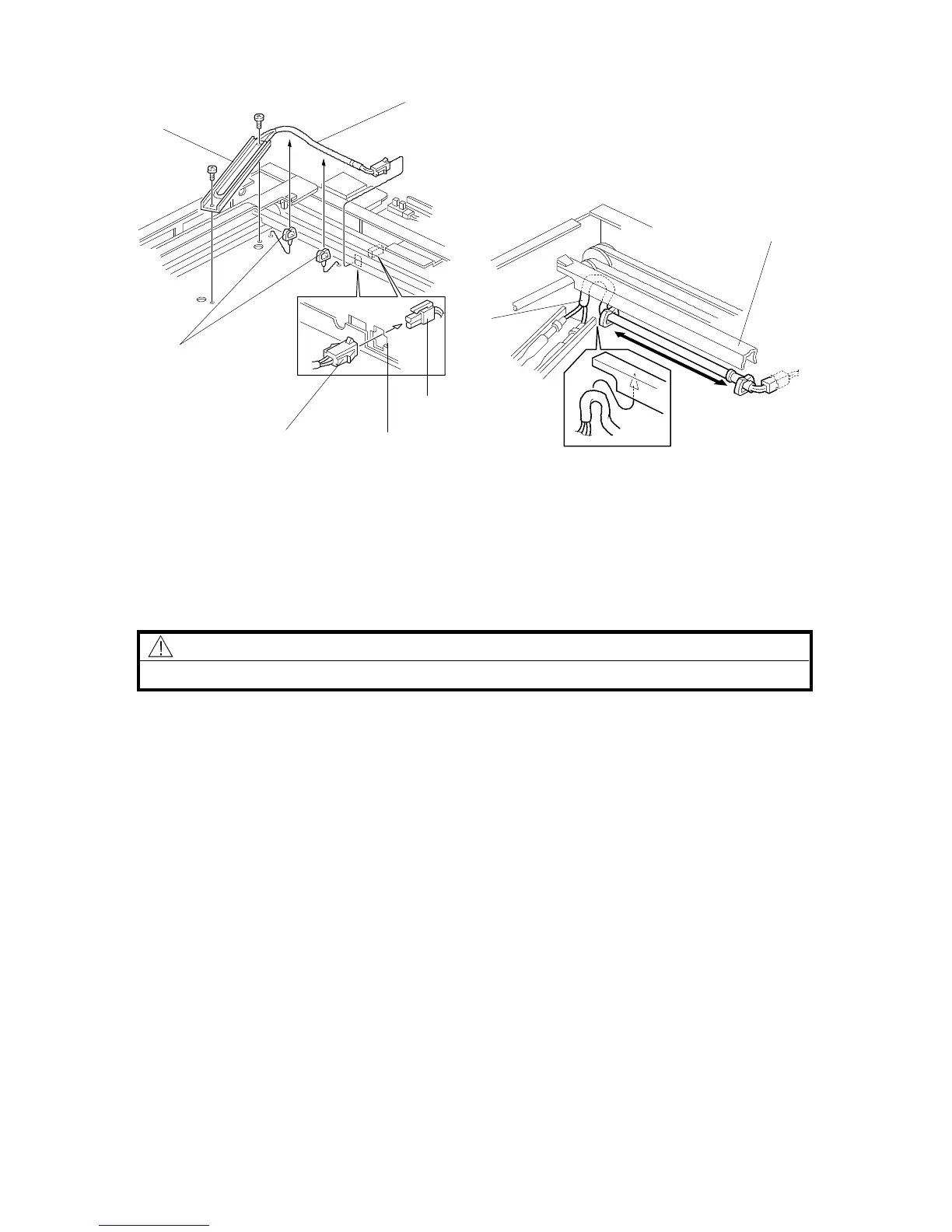
2.6 OPTICS ANTI-CONDENSATION HEATER (OPTION)
NOTE: The optics anti-condensation heater keeps water from condensing on the
copier’s mirrors.
Such condensation occurs at cold temperatures with high humidity, and
causes the first few copies of the day to be dark, or even black.
The heater is available as a service part. (See the parts catalog.)
CAUTION
Unplug the copier power cord before starting the following procedure.
1. Remove the exposure glass. (See "Replacement and Adjustment - Exposure
Glass Removal".)
2. Remove the rear cover. (See "Replacement and Adjustment - Outer Cover
Removal".)
3. Insert the two clamps [A] as shown.
4. Mount the anti-condensation heater [B] (2 screws).
5. Pass the connector [C] through the opening [D].
6. Clamp the harness [E] to the two clamps [A].
Rev. 7/95
[B]
[E]
[A]
[C]
[D]
[F]
[G]
[H]
FSM 3-21 FT5535/4527/4522













 To Next Page