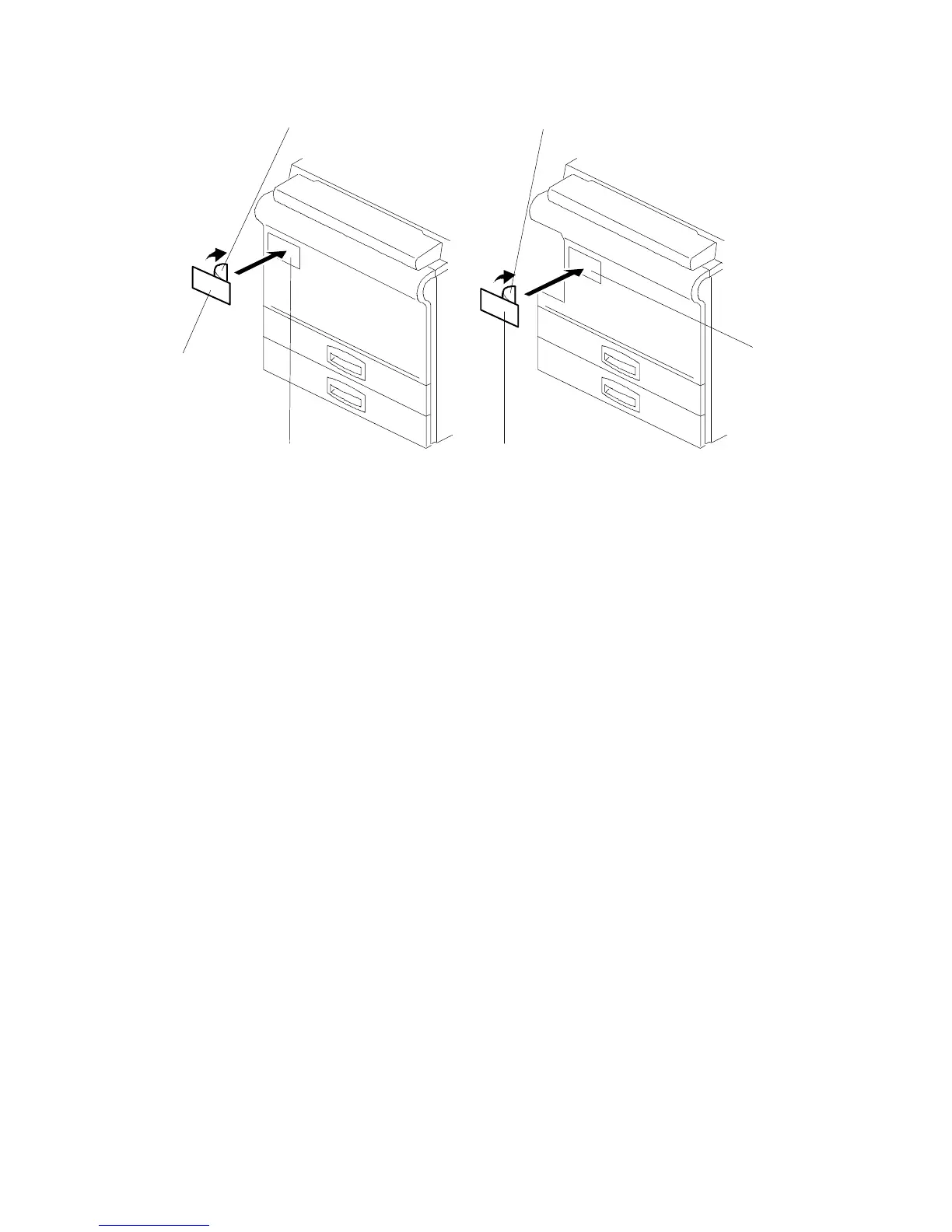
2.10 BRAND DECAL APPLICATION INSTRUCTIONS (-10 AND -22
COPIERS ONLY)
1. Peel off the backing film [A].
2. Attach the brand decal [B] to the indent in the front cover [C] as shown.
[A] [A]
[C]
[B]
[C]
[B]
A153, A155, and A156 Copiers
A157, A159, and A160 Copiers
FT5535/4527/4522 3-26 FSM













 To Next Page