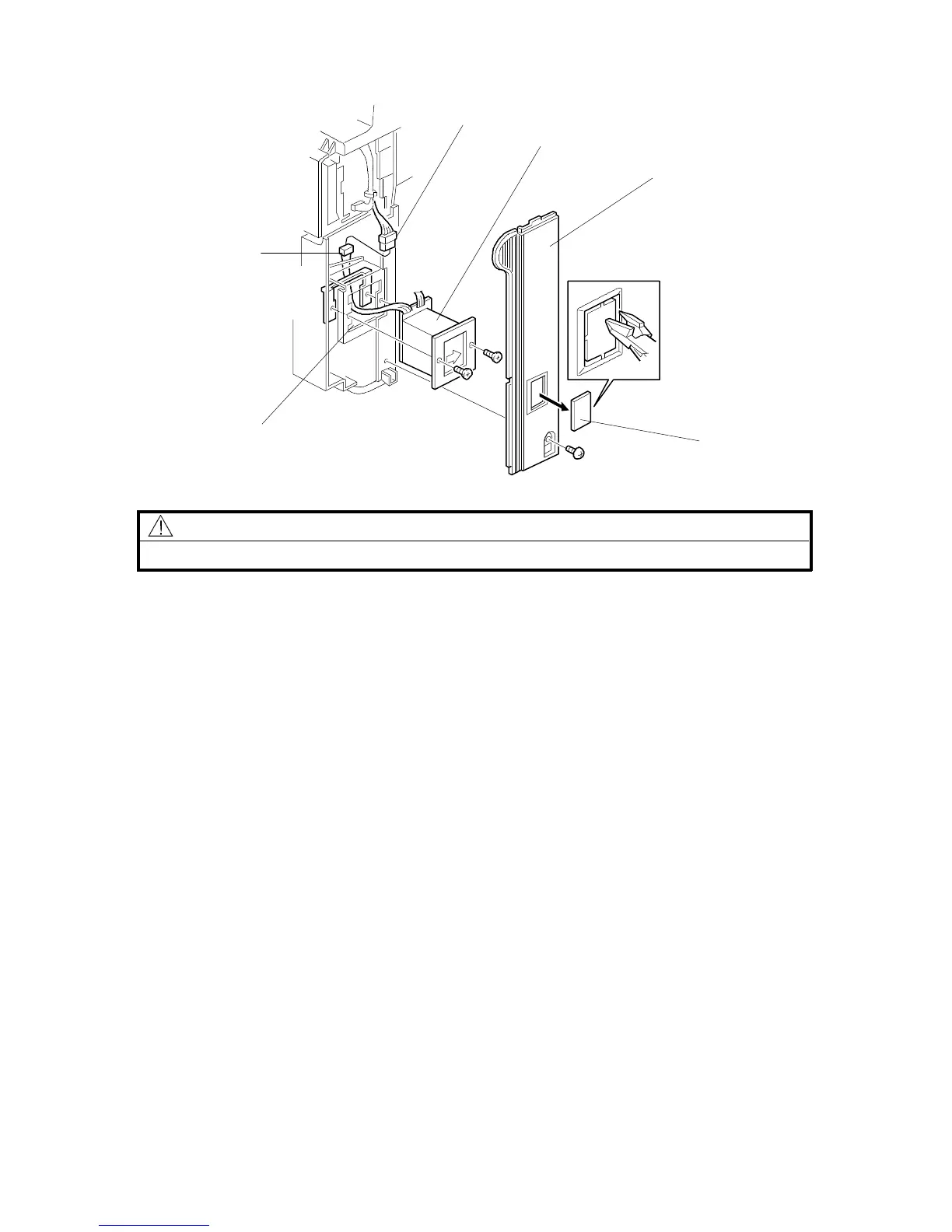
2.9 KEY COUNTER HOLDER (OPTION)
CAUTION
Unplug the copier power cord before starting the following procedure.
1. Remove the front right cover [A]. (See "Replacement and Adjustment - Outer
Cover Removal".)
2. Remove the cap [B] with nippers.
3. Pass the four-pin connector [C] of the key counter holder [D] through the
opening [E] and couple it with the key counter connector [F].
4. Mount the key counter holder [D] (2 screws).
5. Reinstall all the covers and check the key counter’s operation.
6. Make sure that SP mode 5-401 is set to 0, then switch the power off and cut
JP2 on the main board.
Rev. 7/95
[F]
[A]
[C]
[E]
FSM 3-25 FT5535/4527/4522













 To Next Page