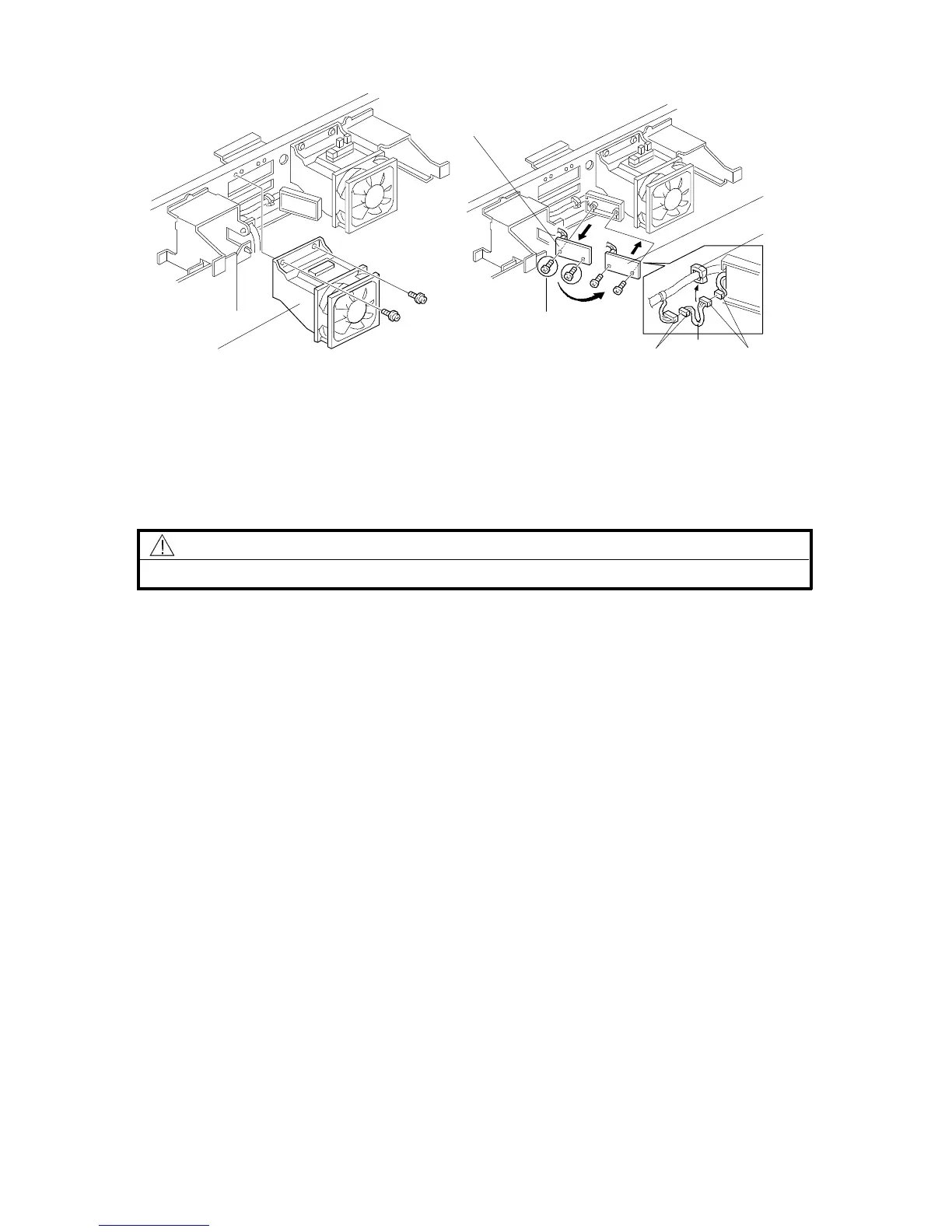
2.8 ADS SENSOR (OPTION)
NOTE: For originals written on some types of red paper, dirty background may
occur in ADS mode. For customers who mainly use such types of red
paper originals, an optional ADS sensor which has a different sensitivity
for red originals is available as a service part. (See the parts catalog.)
CAUTION
Unplug the copier power cord before starting the following procedure.
1. A153, A155, and A156 copiers only: Remove the top cover. (See
"Replacement and Adjustment - Outer Cover Removal".)
2. Remove the rear cover. (See "Replacement and Adjustment - Outer Cover
Removal".)
3. A153, A155, and A156 copiers only: Remove the optics cooling fan duct [A]
(2 tapping screws).
4. Remove the former ADS sensor board [B] (2 tapping screws and 1
connector).
5. Mount the optional ADS sensor board [C] (2 tapping screws) and connect the
connectors [D] of the ADS sensor board to the adapter harness [E].
6. Clamp the harness [E] to the clamp [F] as shown.
7. Perform the ADS sensor initial setting with SP4-201. (See "Service Tables -
Service Program Mode".)
NOTE: A153, A155, and A156 copiers only: When remounting the optics cooling
fan duct [A], be sure not to catch the sensor harness.
[B]
[C]
[E]
[F]
[D]
[D]
[A]
– A153, A155, and A156 copiers only –
Rev. 7/95
FT5535/4527/4522 3-24 FSM













 To Next Page