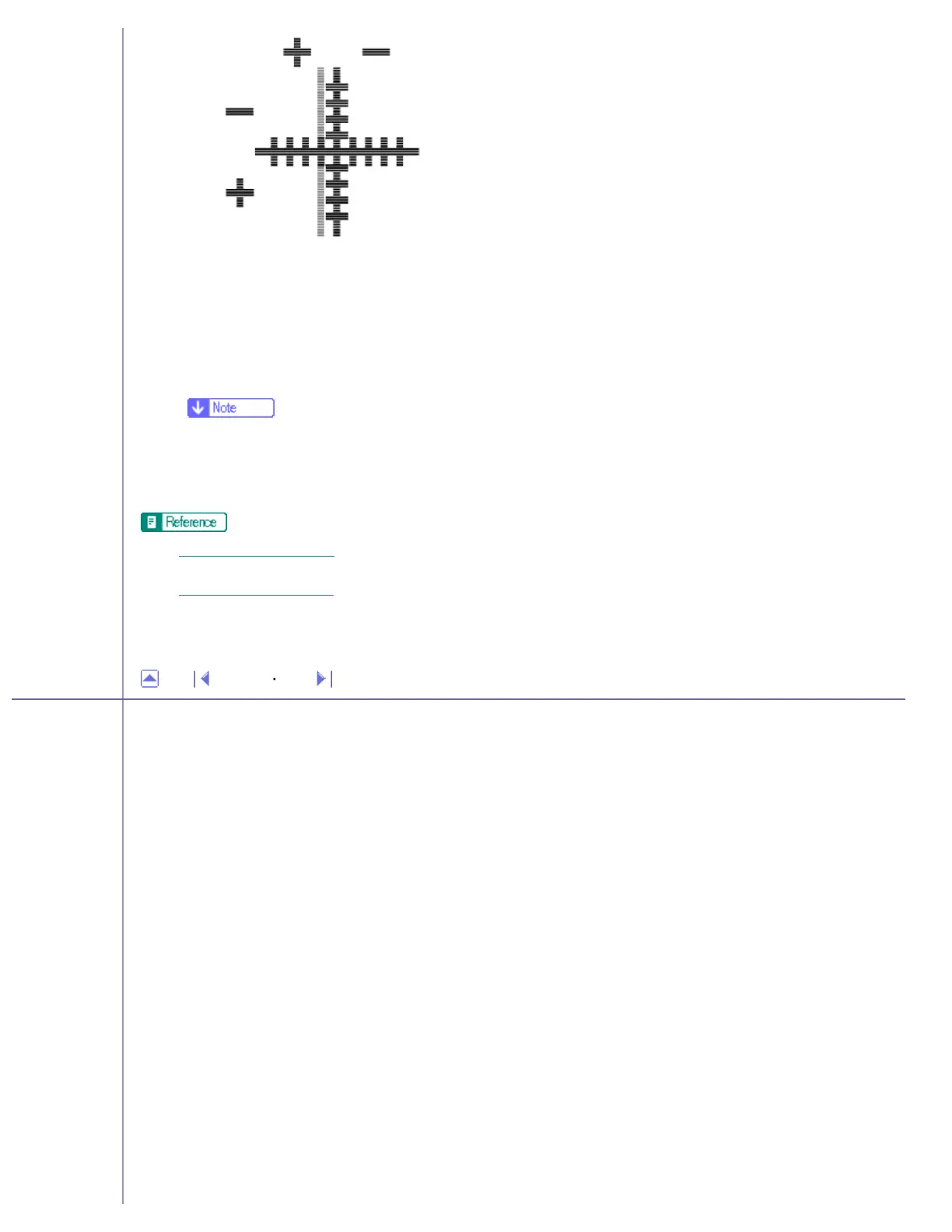
❍ Fold the test pattern sheet in half widthwise, and then check the adjustment value for the [Paper feed direction:].
❍ Adjustment values are in 0.1 increments.
9. In the [Printing direction:] and [Paper feed direction:] boxes, enter the adjustment values (-4.0 to +4.0)
from step 8..
10. Click [Finish].
❍ If a test pattern does not print or the image is not clear, select the [Print a test pattern and return to this screen] check box, and then
click [Next >]. A registration test pattern is printed and the dialog box displayed in step 9..
● Opening from the Start Menu
● Opening from an Application
Top Previous Next
Copyright © 2005 All rights reserved.
file:///E|/shared/pdf-work/newfiles/pp2w/Op_Guide/acc/m0003.htm (2 of 2)2005/10/05 12:07:46



 To Next Page