Troubleshooting > Paper Jam > Removing Paper Jammed in the Bypass Tray
Removing Paper Jammed in the Bypass Tray
Follow the procedure below to remove paper jammed in the bypass tray.
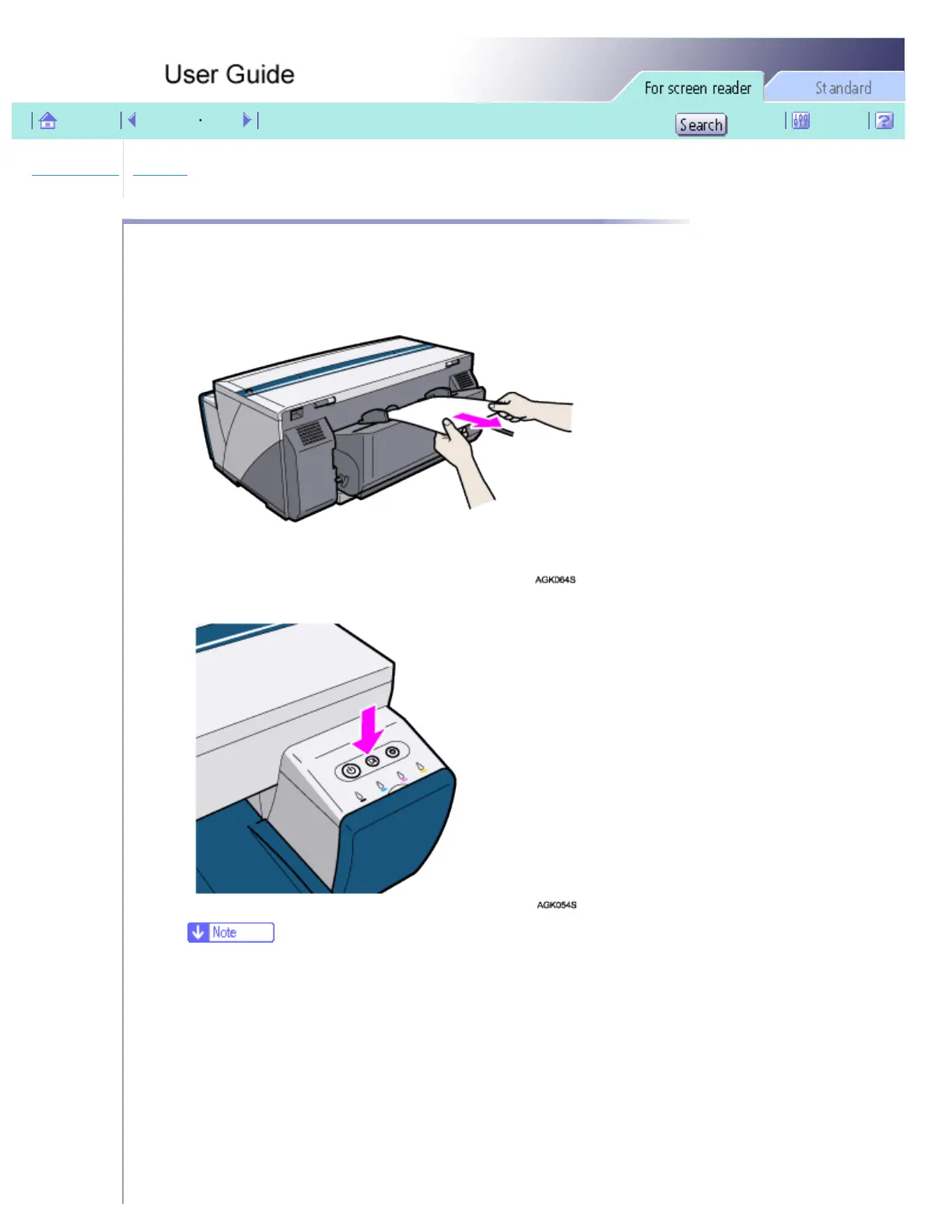
1. Remove jammed paper.
2. Press the [Resume] key.
❍ The [Resume] key stops blinking and stays lit.
3. Insert a sheet of paper into the bypass tray with the print side face up.
file:///E|/shared/pdf-work/newfiles/pp2w/Op_Guide/acc/t0003.htm (1 of 5)2005/10/05 12:08:16



 To Next Page