55
3. User Tools
Accessing the User Tools
The user tools allow you to customize
various default settings. This section
is intended for the machine adminis-
trator.
Reference
For the user tool menu, see p.57
“User Tools Menu”.
A
AA
A
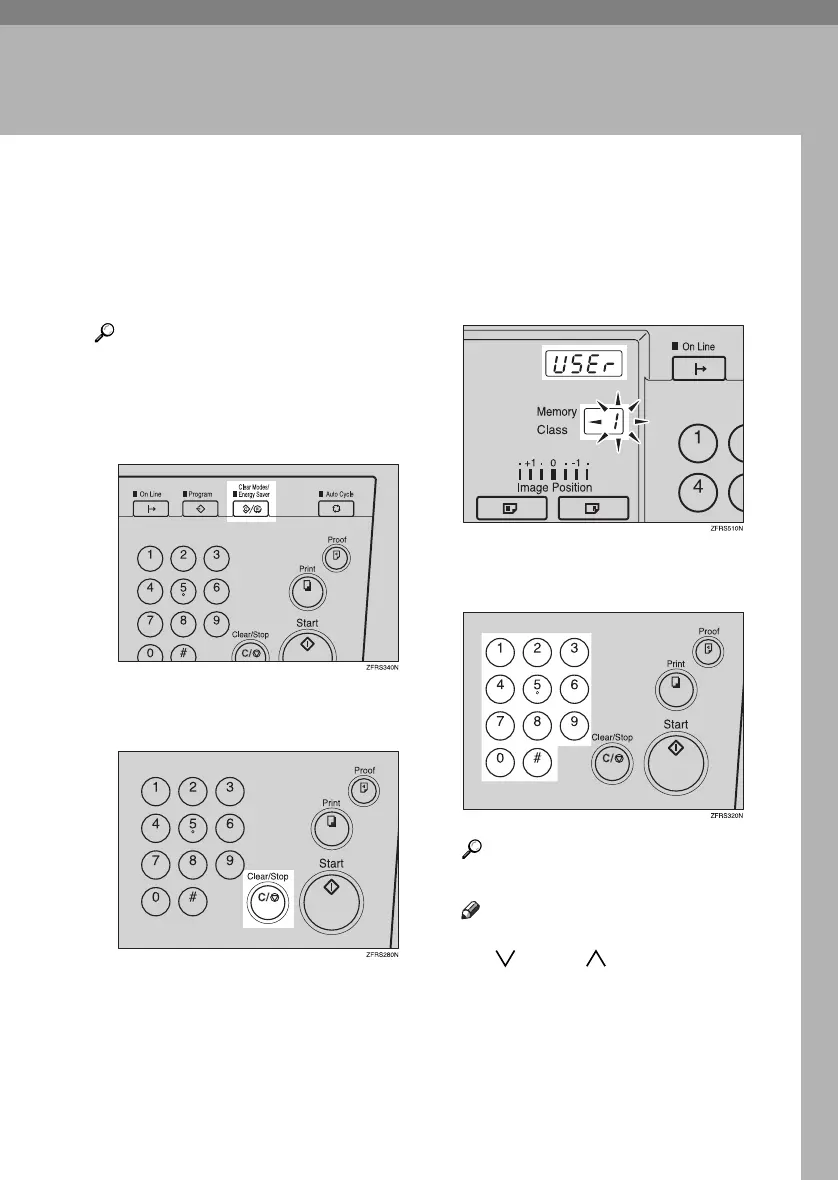
Press the {
{{
{Clear Modes/Energy Sav-
er}
}}
} key.
B
BB
B
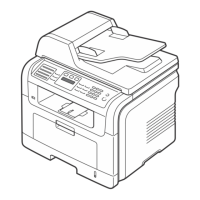
Hold down the {
{{
{Clear/Stop}
}}
} key
for at least 3 seconds.
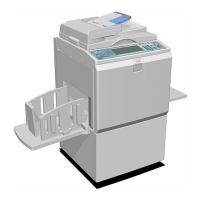
“USEr” is displayed on the
counter, and the number on the
Memory/Class counter is blink-
ing.
C
CC
C
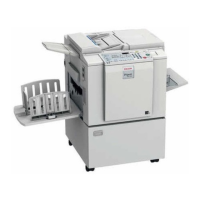
Enter the desired user tool num-
ber with the number keys.
Reference
See p.57 “User Tools Menu”.
Note
❒ The number can be entered with
{
{{
{}
}}
} and {
{{
{}
}}
} keys (Scroll
keys).
❒ When you want to leave the
user tools, press the {
{{
{Clear
Modes/Energy Saver}
}}
} key.
PinkGold-F_V4_FM.book Page 55 Tuesday, May 27, 2003 3:33 PM




 To Next Page