CIP Training Pro C5200 series
Adjustment Settings for Operators
Deleting Saved Custom Paper Profiles
Only the machine administrator can delete the custom paper profile saved in the paper library.
To delete custom paper profiles, you must first specify the machine administrator authentication
information.
1. Display the initial settings screen.
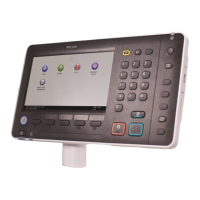
• When using the standard operation panel
1. Press the [User Tools] key.
• When using the Smart Operation Panel (For mainly Europe and North America)
1. Press [Home] ( ) at the bottom of the screen in the center.
2. Press the [User Tools] icon (
) on the [Home] screen.
3. Press [Machine Features].
2. Press [Login].


 To Next Page
 Loading...