Taurus-C1 Training
212
Slide 212
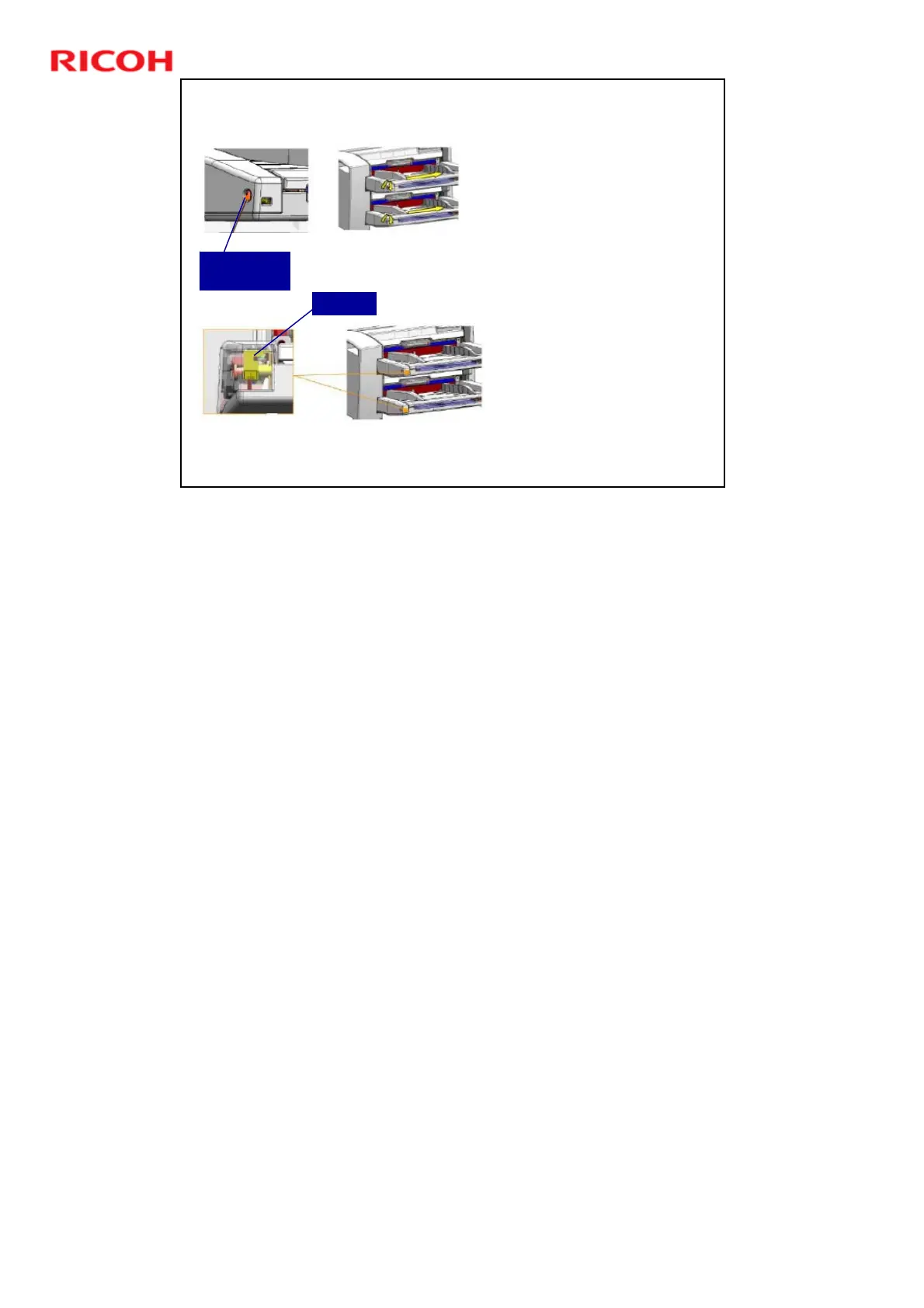
Side-to-side Registration at the
Entrance of the Cover Interposer
Adjust the screw at the
side of the tray
Turn clockwise: The tray
moves to the front
Turn anti-clockwise: The
tray moves to the rear
The tray can be moved a
maximum of 2 mm in
either direction.
To see the current
setting, remove the tray
cover and look at the
scale on the bracket.
Adjust this
screw
Bracket
This slide shows how side-to-side registration can be adjusted at the entrance of
the cover interposer.
¾ The adjustment is made on the trays, not on the bracket between the
peripherals.
There is no skew adjustment here. Skew can only be adjusted at the exit from
the cover interposer (see the previous slide)











 To Next Page