Taurus-C1 Training
290
Slide 290
Tray 1 does not have a
size sensor.
Input the paper size with
a user tool.
Tray 2: If the user wants to
use a paper size that
cannot be detected by the
sensors, they can select
the paper size with the
Tray Paper Settings
button on the operation
panel.
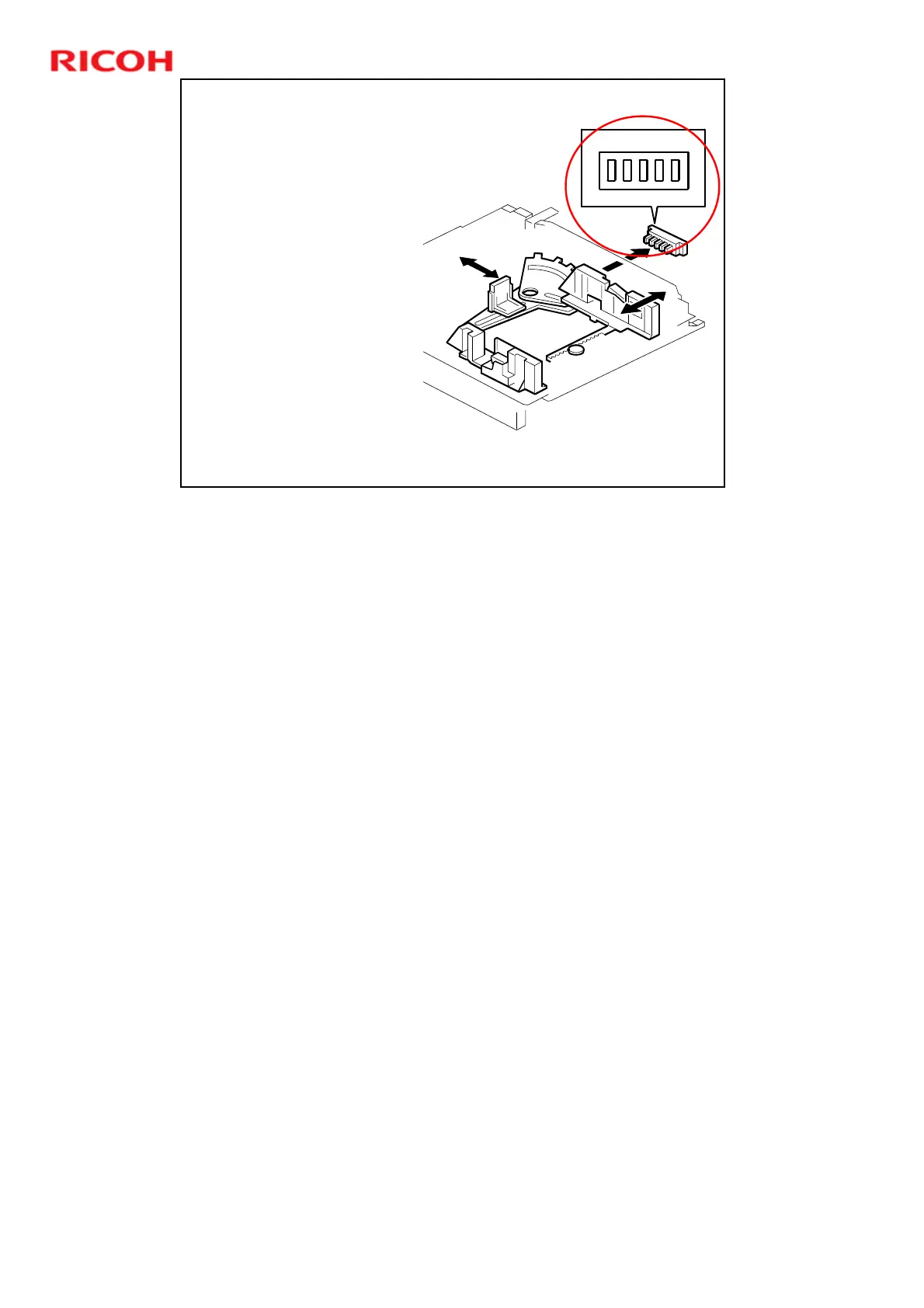
Paper Size Detection - Tray 2
This is the same as the B234 series (Katana-C1).
Tray 1 does not have a size sensor or a dial.
¾ The paper size for tray 1 has to be stored with a user tool setting.
For tray 2, the actuator at the rear of the tray turns on the paper size switches.
The machine detects the size by the combination of switches that are turned on.
Some sizes cannot be detected. The user must use the Tray Paper Settings
button on the operation panel.
¾ There is no * setting, because there is no dial.
¾ The default setting is ‘Auto Paper Detect’, which means that the machine
takes the paper size from the sensor. To use a paper size that is not in the
table, use the Tray Paper Settings in the User Tools.
¾ If the fence position is incorrect (in the case of Auto Paper Detect) or if the
size is not the same as set with the operation panel, jams will occur.
¾ Also note that the tray can detect 12 x 18” automatically.




 To Next Page