Taurus-C1 Training
292
Slide 292
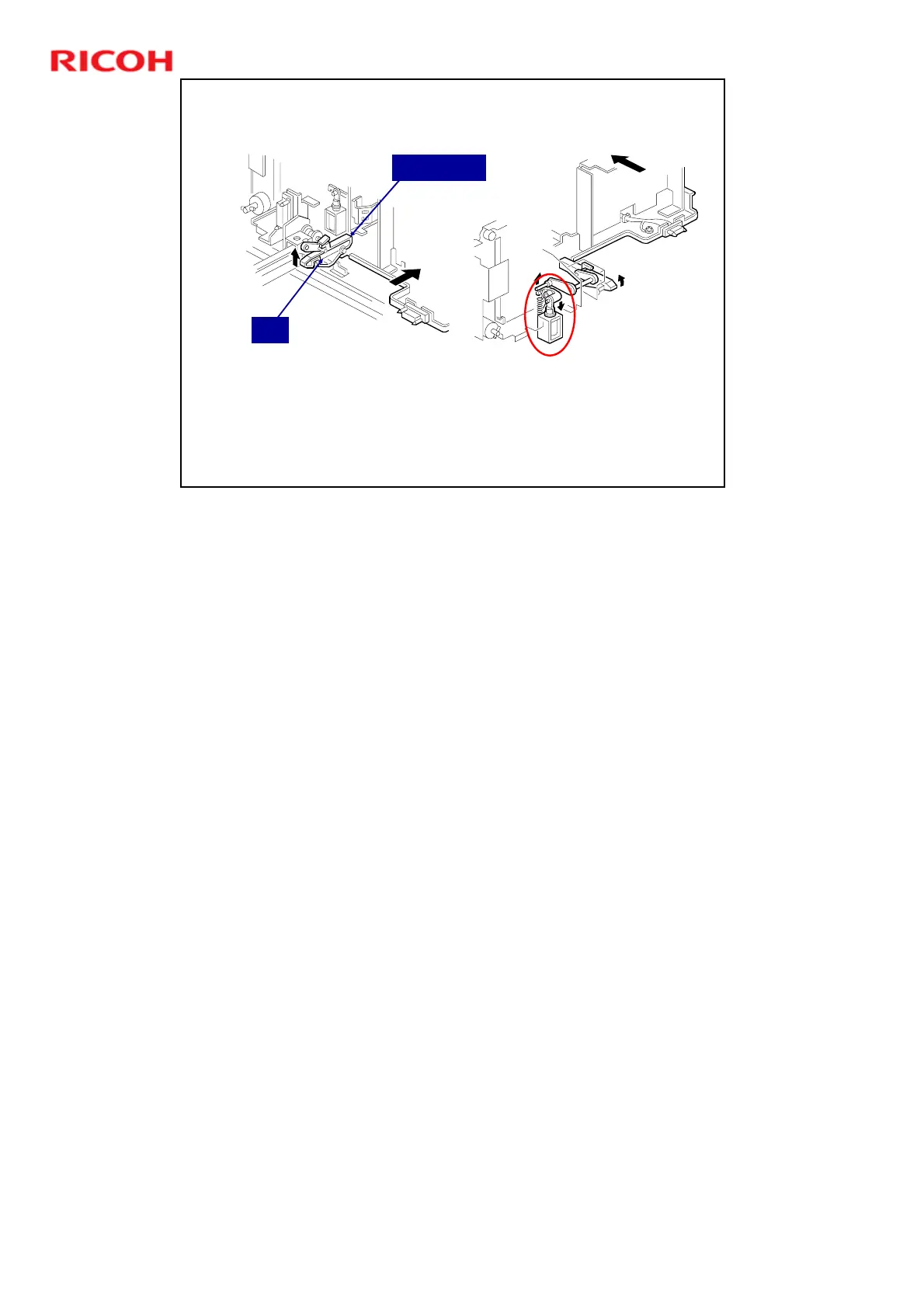
Tandem Feed Tray
Connecting the Left and Right Sides
Normally, the lock lever holds the two sides together.
If the right tray becomes empty, the tandem tray
connect solenoid releases the lock lever.
The left tray can now be pulled out to add more paper.
Pin
Lock Lever
The tandem tray connect solenoid releases the left tray when it is empty, so it
can be refilled without interrupting copying.
Normally the left tray lock lever catches the pin in the right tandem tray. During
printing, if there is no paper in the left tray, the tandem tray connect solenoid
turns on to release the tray lock lever so that the left tray separates from the right
tray. Therefore, the left tray can be pulled out to load paper while paper is still
being fed into the machine from the right tray.




 To Next Page