EasyManua.ls Logo

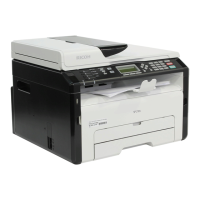
Ricoh SP 110 SU - User Manual

Ricoh SP 110 SU
92 pages
Print Icon
To Next Page IconTo Next Page
Loading...
For safe and correct use, be sure to read "Safety Information"
before using the machine.
Appendix
Troubleshooting
Maintaining the Machine
Configuring the Machine Using Smart
Organizing Monitor
Scanning from a Computer
Copying Originals
Printing Documents
Loading Paper
Guide to the Machine
User Guide

Table of Contents

Questions and Answers

  • J
    jacksonveronicaAug 27, 2025
    How to fix Ricoh SP 110 SU that does not turn on?
    • J
      James RushAug 27, 2025
      If your Ricoh printer isn't turning on, ensure the power plug is firmly inserted into the wall outlet. Also, verify that the wall outlet is functional by testing it with another working device. The problem may be that the power cord is not connected properly.
  • R
    rramirezAug 25, 2025
    How to adjust copied pages that are too dark or too light on Ricoh Printer?
    • R
      ronaldsampsonAug 26, 2025
      If copied pages from your Ricoh printer are too dark or too light, adjust the image density.
  • H
    Henry SmithAug 23, 2025
    How to adjust the scanned image that is too dark or too light on Ricoh Printer?
    • B
      Bailey StevensAug 25, 2025
      If the scanned image from your Ricoh printer is too dark or too light, adjust the image density.

Ricoh SP 110 SU Specifications

General IconGeneral
Print TechnologyLaser
Print Resolution1200 x 600 dpi
Monthly Duty CycleUp to 10, 000 pages
ConnectivityUSB 2.0
Scanner TypeFlatbed
Scan Resolution600 x 600 dpi
Paper Capacity150 sheets
Operating System CompatibilityWindows, Mac
Paper SizeA4, A5, B5
TypeMultifunction Printer

Related product manuals