• Unplug the power cord from the wall outlet before you move the machine. While moving the
machine, take care that the power cord is not damaged under the machine. Failing to take these
precautions could result in fire or electric shock.
• Do not place the printer directly on the floor.
• When attaching multiple options, attach the paper feed unit first.
• To attach two or three paper feed units at the same time, first stack them one upon the other, and
then attach them as a single unit.
• Before turning on the power, remove the packaging material from the paper feed unit.
1. Turn the printer off and unplug the power cord.
2. Remove the packaging from the paper feed unit.
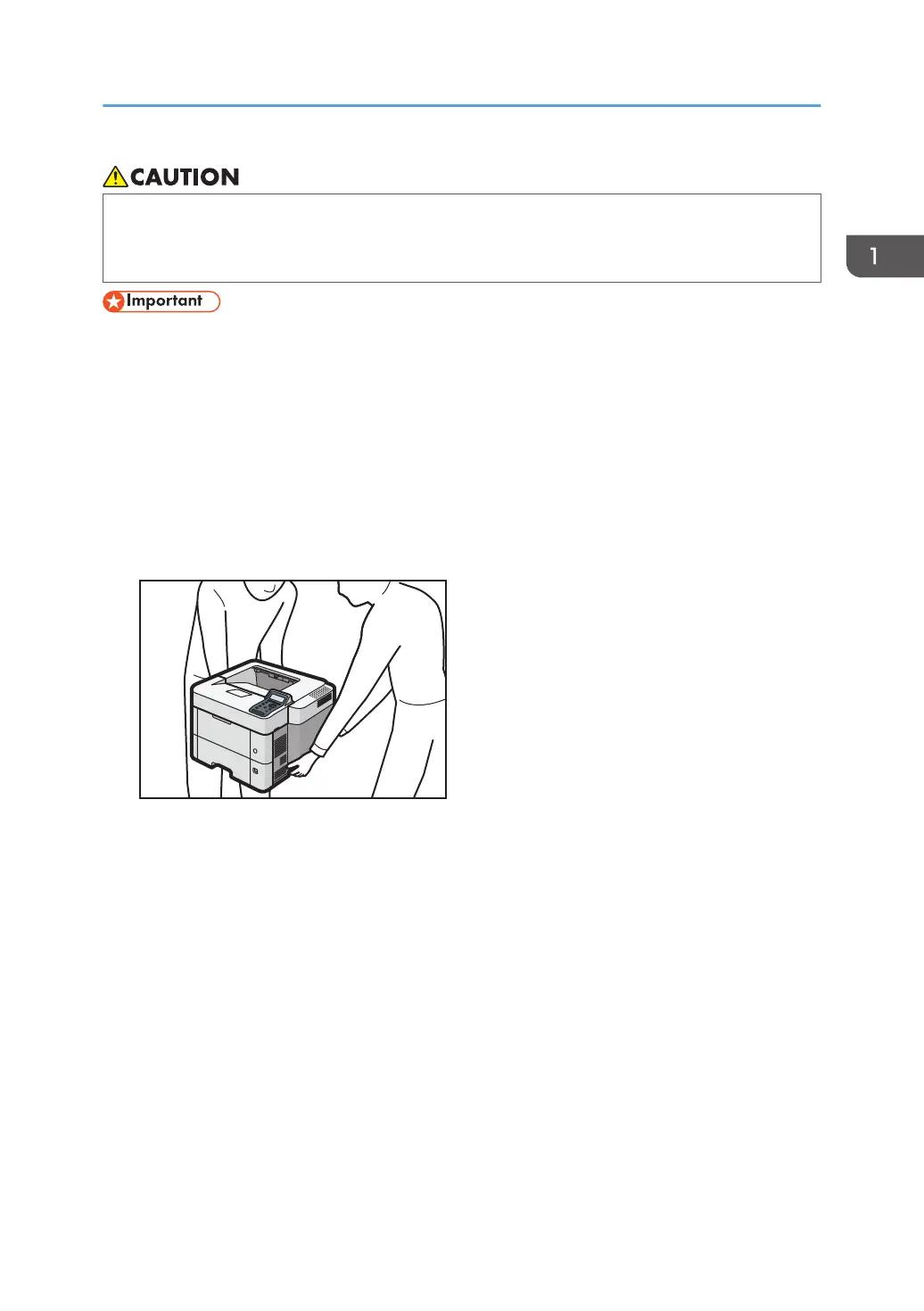
3. Lift the printer using the inset grips on both sides of the printer.
Lifting the machine requires two people.
When moving the printer, do not touch the following parts:
• Convex parts on the right side of the machine
• Places indicated on the labels attached to the machine
• The bottom of the optional paper tray
Installing Options
17

 To Next Page
 Loading...