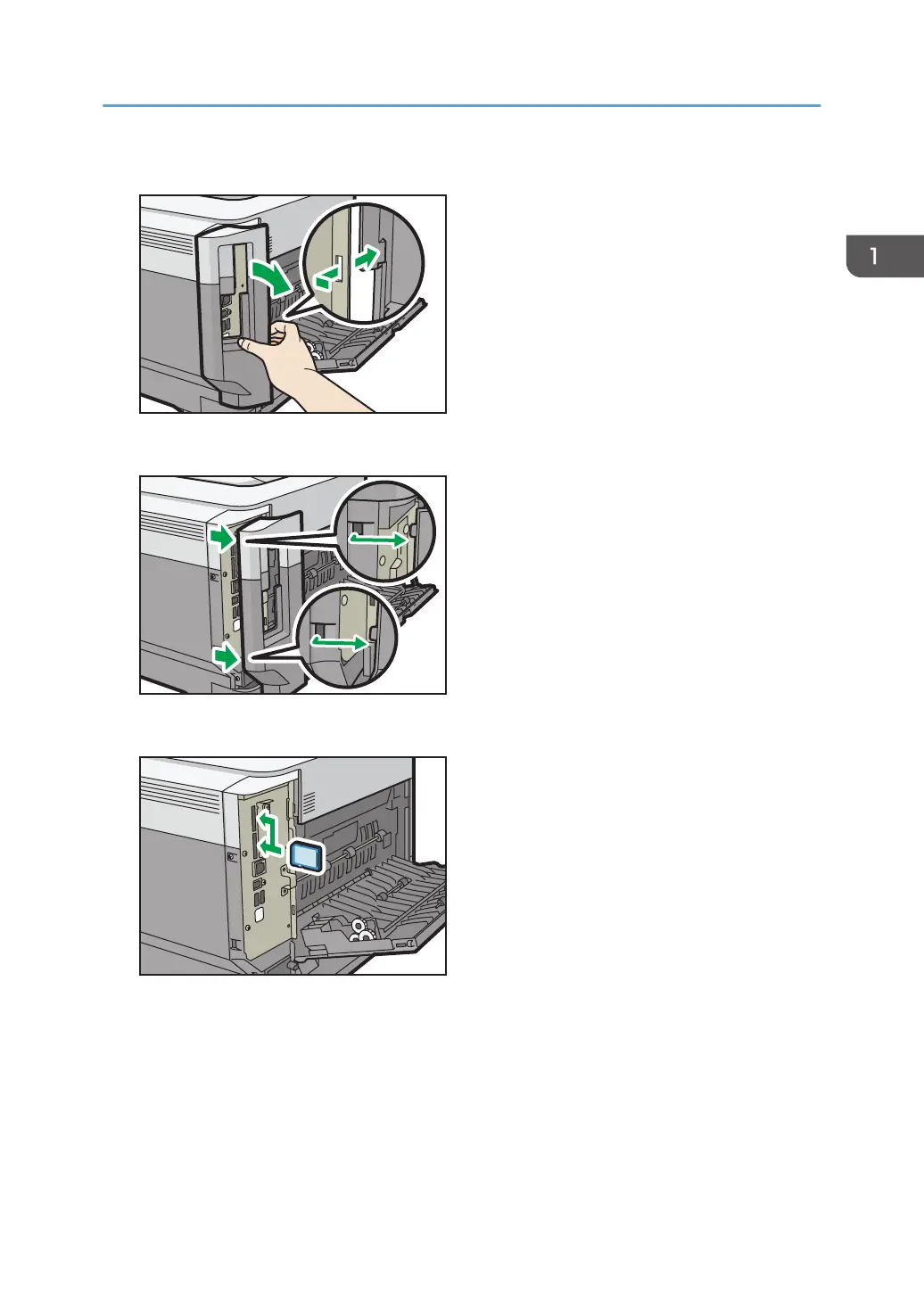
3. Unhook the tab on the interface cover, which is located on the side of the rear cover.
4. Unhook the two tabs on the outside of the interface cover.
5. Insert the SD card into the slot until it clicks.
If you insert only one SD card, use the upper slot. If you insert two SD cards simultaneously, use
both slots. If you insert the optional VM card, use only the lower slot.
If you want to use two or more SD cards simultaneously, contact your service representative.
Installing Options
25


 To Next Page
 Loading...