Need help?
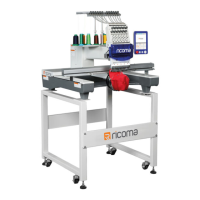
Do you have a question about the Ricoma RCM-1501TC-7S and is the answer not in the manual?
Safety precautions for operation, maintenance, and environment.
Power requirements and essential grounding procedures.
Details system HMI, multilingual support, memory, and file format compatibility.
Transfer embroidery designs from USB drive to machine memory.
Guide to selecting and loading embroidery designs for stitching.
Configure design parameters: scaling, rotation, and repetition.
Instructions on selecting and changing embroidery hoops for different sizes.
How to set the starting point for embroidery designs.
Guide to configuring color change sequences and needle bar replacements.
Detailed steps for setting up color sequences and needle bar numbers.
Instructions for appliqué offset, low-speed embroidery, and needle bar replacement.
How to set up sequin embroidery designs and combinations.
Procedure to reset hoop to origin after a power failure.
Instructions for starting, stopping, and backing up embroidery jobs.
Instructions for using onboard lettering function to create text designs.
Instructions for updating the machine's software.
List of system errors, causes, and countermeasures.
 General
| Type | Embroidery Machine |
|---|---|
| Number of Needles | 15 |
| Number of Heads | 1 |
| Connectivity | USB |
| Automatic Thread Trimmer | Yes |
| Automatic Color Change | Yes |
| Thread Break Detection | Yes |
| Max Speed | 1, 000 stitches per minute |
| Stitches Per Minute | 1000 |
| Display | LCD |
| Voltage | 110V |


 To Next Page