EasyManua.ls Logo

RIDGID RP 340 - User Manual

RIDGID RP 340
15 pages
Print Icon
To Next Page IconTo Next Page
Loading...
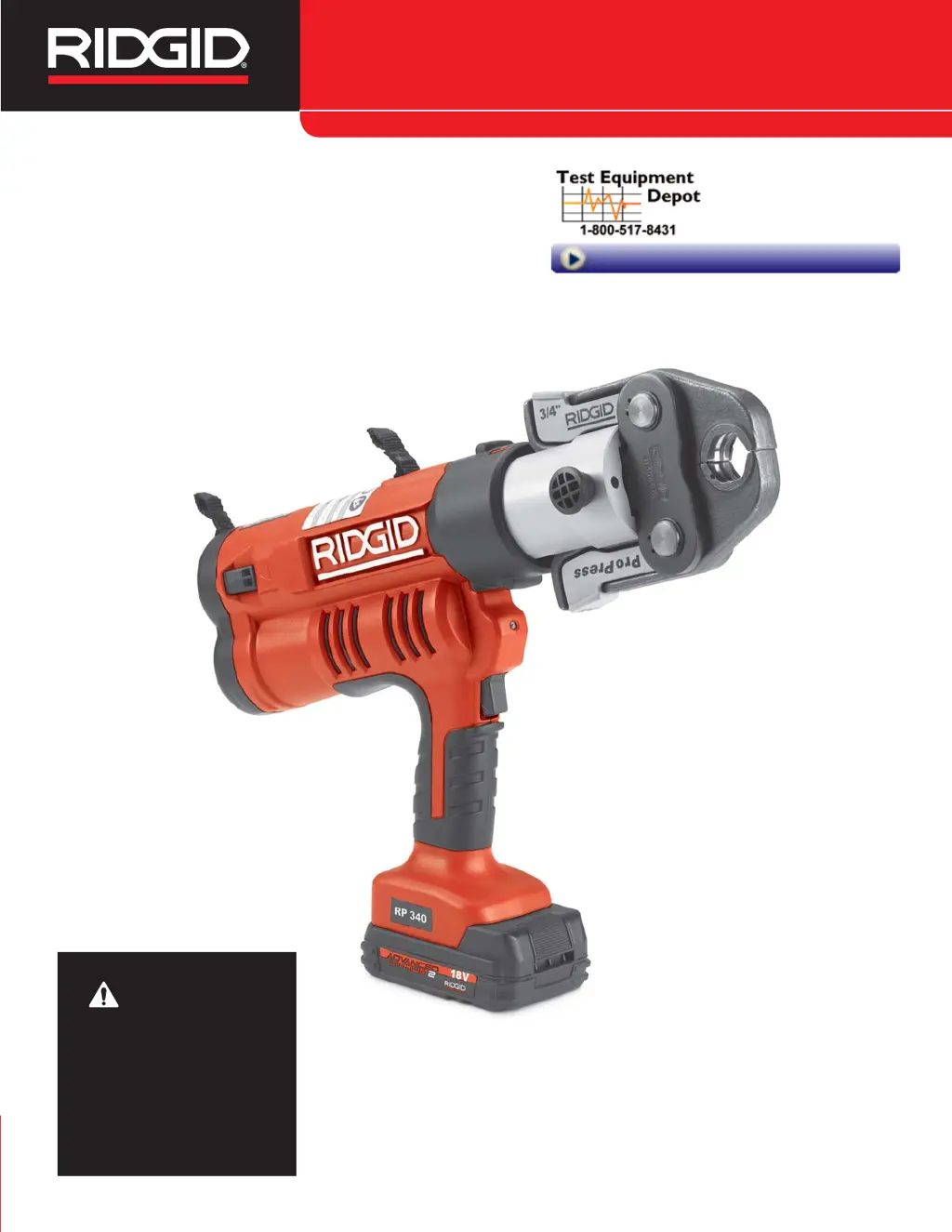
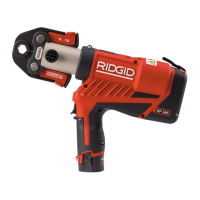
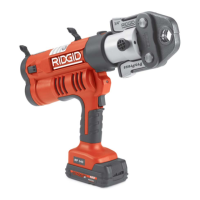
Pressing Tool
RP 340Manual
WARNING!
Read this Operator’s Manual
carefully before using this
tool. Failure to understand
and follow the contents of
this manual may result in
electrical shock, fire and/or
serious personal injury.
99 Washington Street
Melrose, MA 02176
Phone 781-665-1400
Toll Free 1-800-517-8431
Visit us at www.TestEquipmentDepot.com

Other manuals for RIDGID RP 340

Questions and Answers

  • P
    Paige HunterAug 14, 2025
    Why won't my RIDGID Power Tool turn on?
    • J
      jessicachenAug 14, 2025
      If your RIDGID Power Tool doesn't turn on when you press the ON/OFF button, here's what to check: * Inspect the electric cord for damage and replace it if needed. * Ensure the battery is fully charged or the power cord is correctly inserted. * Verify the battery or AC Power Adapter is fully inserted into the handle. * The battery may be too low, so try inserting a fully charged battery. * The tool, AC Power Adapter, or battery might be too cold or hot. Allow the tool to sit in a conditioned room to reach a temperature between 15°F (-10°C) to 122°F (50°C).
  • C
    Corey CollierAug 18, 2025
    What to do if pressed connections are not complete with my RIDGID Power Tool?
    • E
      Elizabeth MccarthyAug 18, 2025
      If your RIDGID Power Tool produces incomplete connections, consider the following: * The press may not have been completed successfully. Push the pressure release button to remove the jaws from the fitting. * You might be using the wrong jaw set for the tube size or material. Install the correct jaw set. * The tool may not have been square to the tube. Ensure the tool is square to the tube. * The jaw contour may not have been aligned with the fitting contour. Ensure the jaw contour is aligned with the fitting contour.
  • M
    Michael BrownAug 21, 2025
    How to unlock RIDGID RP 340 Power Tool jaws that are stuck on a fitting?
    • S
      Samuel MunozAug 21, 2025
      If the jaws of your RIDGID Power Tool are locked onto the fitting, the accessory mounting pin may not be fully closed. Insert the accessory mounting pin to the fully closed position.
  • R
    Rachael RiceAug 25, 2025
    What to do if RIDGID RP 340 Power Tool will not turn ON?
    • C
      courtney70Aug 25, 2025
      If your RIDGID Power Tool doesn't turn on, several factors could be at play. First, inspect the electric cord for any damage and replace it if necessary. Ensure the battery is fully charged and properly inserted, or that the AC power adapter is correctly plugged into the outlet and the tool. If the battery is too low, recharge it. Also, the tool, AC power adapter, or battery might be too cold or hot; bring them to an operating range between 15°F (-10°C) to 122°F (50°C) by allowing the tool to sit in a conditioned room.
  • A
    Amanda BennettAug 28, 2025
    What to do if RIDGID RP 340 Power Tool pressed connections are not complete?
    • J
      Jacob WrightAug 28, 2025
      If the pressed connections produced by your RIDGID Power Tool are not complete, consider the following: ensure you are using the correct jaw set for the tube size and material, verify that the tool is square to the tube, and confirm that the jaw contour is aligned with the fitting contour. If a press was not successfully completed, redo the joint with a new fitting and tube.
  • A
    Ashley LoganAug 31, 2025
    What to do if RIDGID Power Tool jaws are locked onto fitting?
    • M
      Ms. Tammy GlassAug 31, 2025
      If the jaws of your RIDGID Power Tool are locked onto the fitting, push the pressure release button to remove them.
  • K
    Kristy BowmanSep 4, 2025
    Why does the green light flash on my RIDGID RP 340?
    • A
      Amber GalvanSep 4, 2025
      If the green light flashes on your RIDGID Power Tool, a tool malfunction has been detected. Try unplugging and replugging the power cord, or removing and reinserting the fully charged battery.
  • K
    kaitlin61Sep 6, 2025
    Why is the red LED blinking on my RIDGID RP 340?
    • Z
      zblankenshipSep 6, 2025
      If the red LED blinks repeatedly and the tool does not begin the press cycle when the trigger switch is depressed, unplug and replug the power cord, or remove and reinsert the fully charged battery.
  • T
    Tyrone RobertsSep 10, 2025
    Why is the yellow LED glowing continuously on my RIDGID RP 340?
    • K
      Kyle MonroeSep 10, 2025
      If the yellow LED glows continuously and the tool will not begin a press cycle when the trigger switch is depressed, the accessory mounting pin might not be fully closed. Insert the accessory mounting pin to the fully closed position.

Summary

Safety Symbols and Warnings

General Power Tool Safety Warnings

Read all safety warnings and instructions to avoid electric shock, fire, or serious injury.

Personal and Tool Safety

Personal Safety

Stay alert, use common sense, and avoid operating while tired or under the influence of substances.

Specific Safety, Description, and Specifications

Specific Safety Information

Read precautions carefully to reduce risk of electrical shock or personal injury from the press tool.

Press Tool Safety

Use only specified RIDGID attachments, keep hands clear of moving parts, and do not repair damaged parts.

Tool Inspection and Setup

Tool Inspection

Daily inspection of the tool, power adapter, and battery for damage is crucial for safe operation.

Operating and Maintenance Procedures

Operating Instructions

Covers preparing connections, pressing fittings with different jaw sets, and safety during operation.

Troubleshooting and Diagnostics

Troubleshooting

Lists common symptoms, possible reasons, and solutions for tool operation issues.

RP 340 Diagnostic Codes

Explains LED status (Green, Red, Yellow) and their corresponding descriptions and icons for troubleshooting.

RIDGID RP 340 Specifications

General IconGeneral
TypePress Tool
Press Cycle Time4 seconds
Hydraulic Ram Output7, 200 lbs (32 kN)
Power SourceBattery
Battery18V Lithium-Ion
Capacity1/2" to 4"
Operating Temperature Range14°F to 122°F (-10°C to 50°C)

Related product manuals