USE
18
1 Emergency switch
1
Activation
— lift the front panel
— press the emergency switch using a pointed object
Equipment outputs a warning sound and switches on.
Switch-off
— lift the front panel
— press the emergency switch using a pointed object
Equipment switches off.
9
The auxiliary switch is an emergency device and must not
be used regularly.
2.6
Temporary shutdown
In order to shut down the unit for periods of brief absences:
press
The unit display turns off.
The horizontal motorised deflector closes.
9
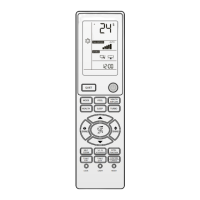
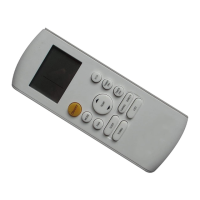
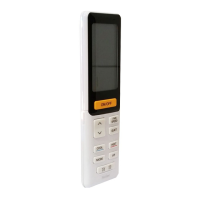
Settings are saved by the remote control and are activated
any time user presses
.
9
Turn unit off exclusively through the remote control.
2.7
Stop for an extended period of time
If the device has not been used for an extended period of time,
carry out the following operations:
— start the device in ventilation mode
— select the maximum speed
— let the device run for 6 hours
— deactivate the device with the remote control
ON
OFF
— set the system main switch to “OFF”
2.8
Maintenance
Routine maintenance is fundamental for keeping the equip-
ment efficient, safe and reliable. It can be performed periodi-
cally by R Technical Support Service, whose staff is technical-
ly qualified and can use genuine spare parts, if necessary.
2.9
Cleaning
The only cleaning operations required of the user concern the
remote control, the housing, the front grille, the mesh filters and
changing the purification filters.
9
All described operations MUST be carried out under the fol-
lowing conditions:
— cold device
— device NOT supplied with electric power
— suitable personal protection equipment
ON
OFF
0
It is forbidden to open the access doors and carry out any
cleaning operation before disconnecting the device from the
power supply positioning the system main switch to "OFF".
Cleaning the remote control
— clean with a soft and dry cloth
Cleaning the housing and front panel
— wet a sponge or soft cloth with water and soap to wash
— once cleaning is over dry surfaces with care
9
Do not use water at a temperature that is higher than 40°C,
powder or abrasive detergents, solvents and brushes.
Mesh filter cleaning
Cleaning the mesh filters ensures trouble-free operation of the
climate control system.



 To Next Page
 Loading...