10
Interface Operation Instructions
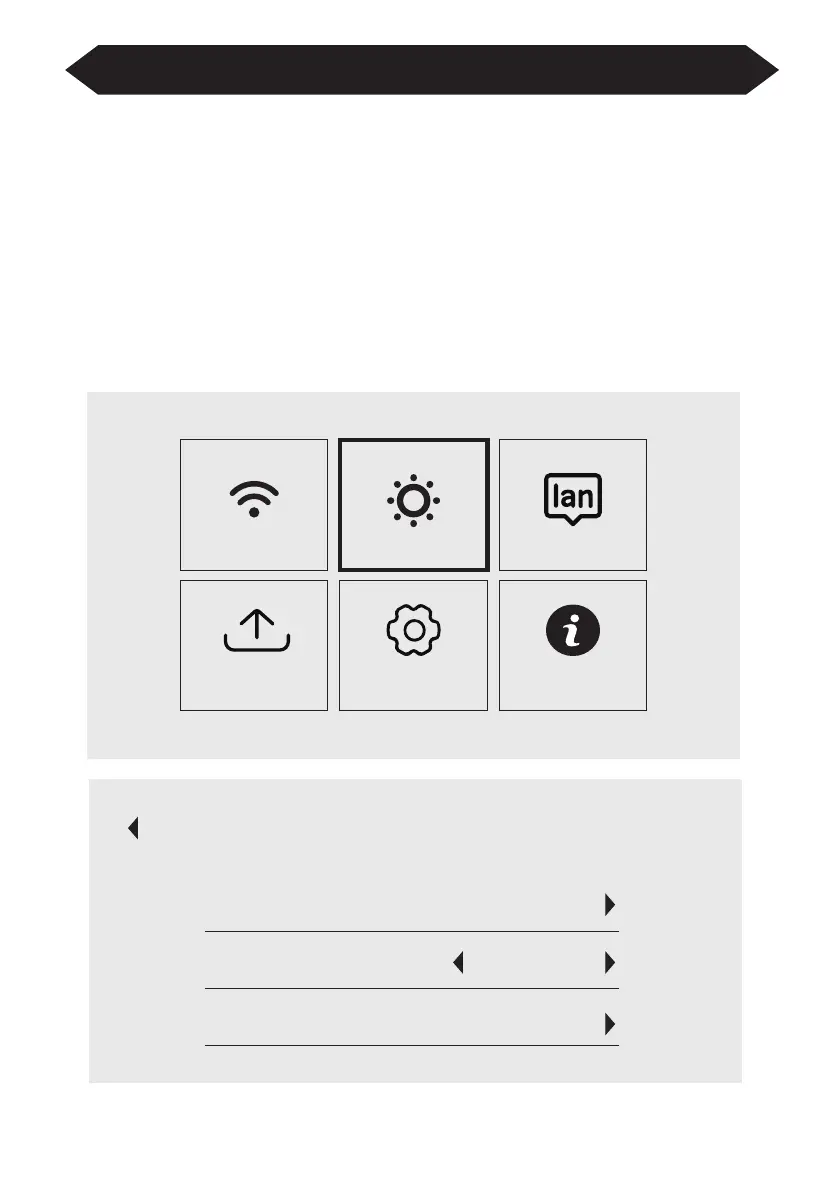
How to Use Projection Settings
Select the settings icon in the upper right corner of the main interface, and then
press the "OK" key on the remote control to enter the settings interface and select
"Projection Image Setting".
After entering the interface, select the mode you want in the projection settings.
Manual Keystone: 4-point Keystone
Projection mode: Front-Desktop / Rear-Desktop / Front-Ceiling / Rear-Ceiling
Digital Zoom: 50%-100%
WiFi Setting Language Setting
Setting Update Other Setting About
Projection Image Setting
Projecton
4-point Keystone
Projection Mode Front-Desktop
Digital Zoom


 To Next Page