11
Interface Operation Instructions
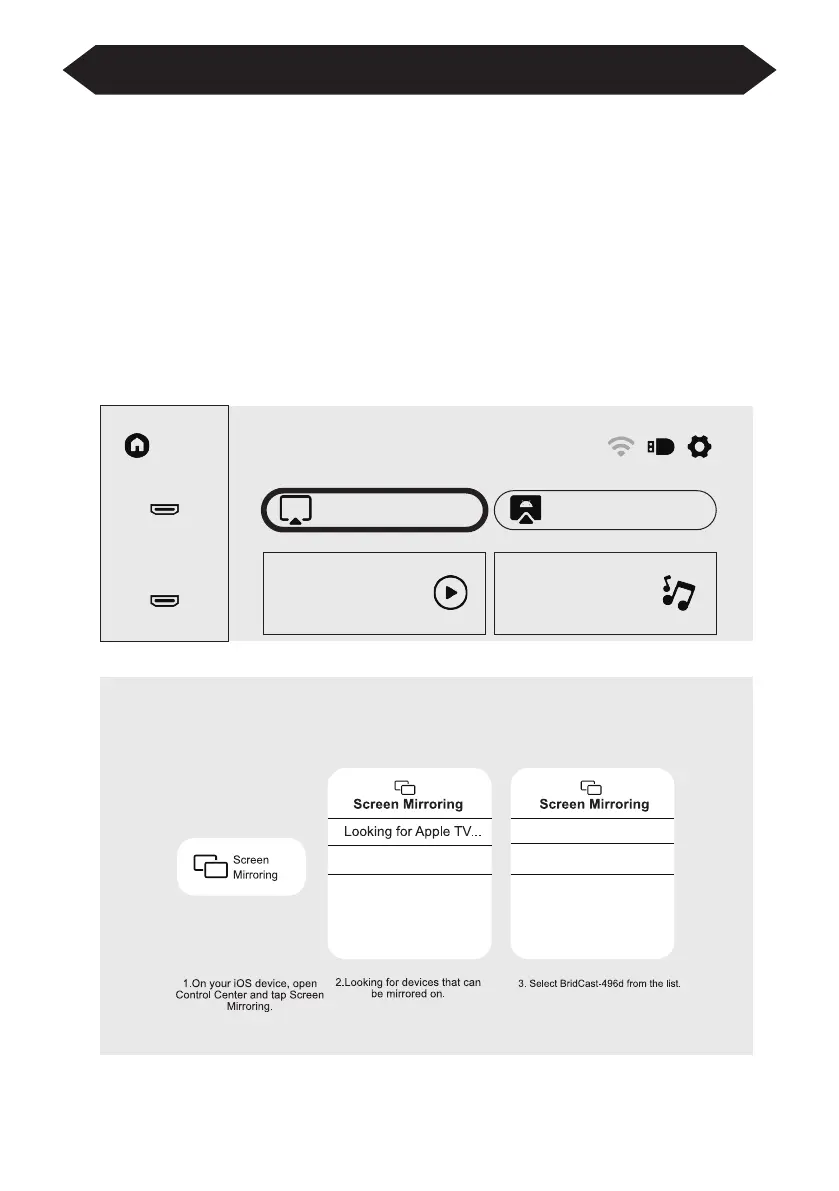
How to Use iOS Cast
In the main interface, select "iOS Cast", press the "OK" key on the remote control
to enter the interface, and and then set up in the order in the interface.
Note: The projector needs to be connected to the Internet for using the iOS Cast
or upgrading the projector for the first time
1. The iOS device and the projector are connected to the same network
2. Open the control center of the iOS device and select Screen mirroring
3. Choose the corresponding projector device name.
Home
HDMI1
iOS Cast
Movie Music
Miracast
HDMI2
Make sure that your iOS device is connected to the same network as your Prjector


 To Next Page