13
Interface Operation Instructions
Multimedia Format Supported
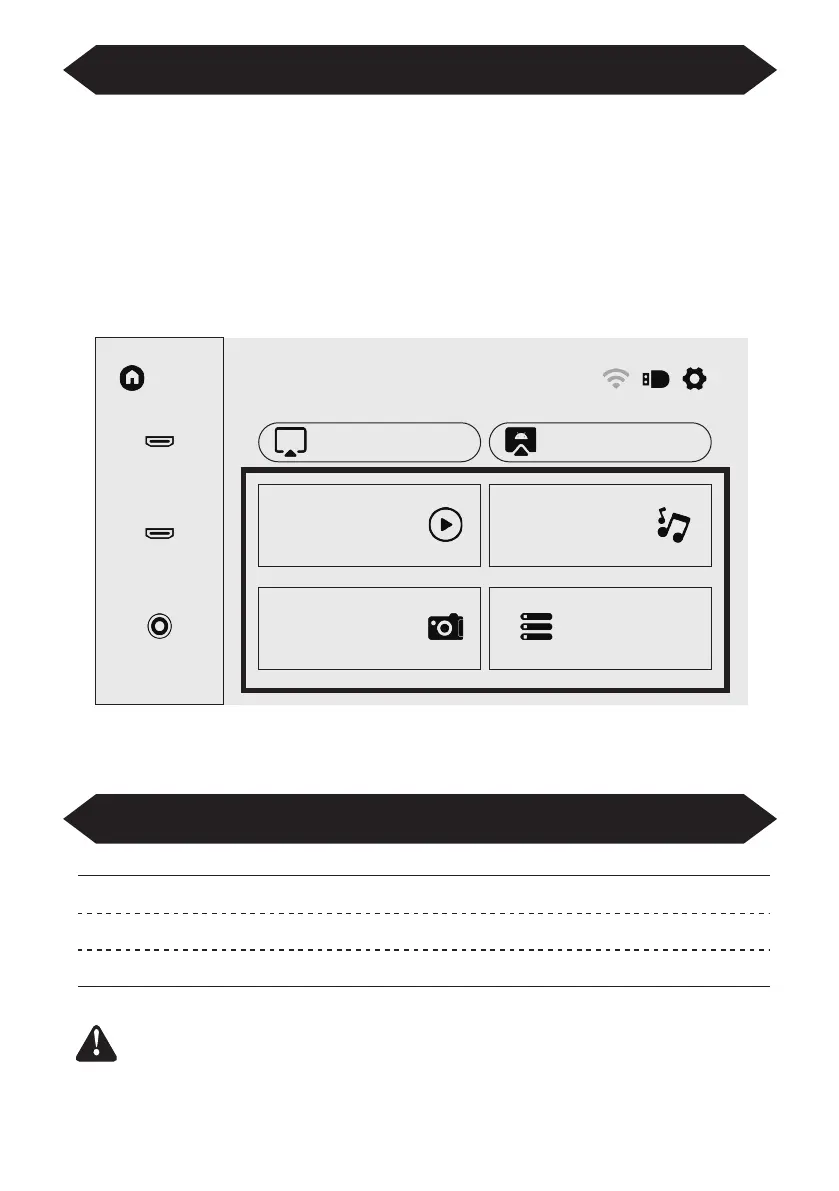
How to Play Files in USB Disk
Select the required category “movie”, "music", "photo" or "Office Suite" in the
main interface, and press the “OK” key on the remote control to enter the corre-
sponding category.
Then find the file you want to play in that category, start playing by pressing “OK”
key. (You cannot enter the required category without connecting a USB disk.)
Home
HDMI1
iOS Cast
Movie
Photo
Office Suite
Music
Miracast
HDMI2
AV
Video Format: 3GP/AVI/FLV/MP4/MPG/VOB/TS/M2TS/DAT/MKV
Audio Format: MP3/APE/AAC/FLAC/OGG/WAV/WMA/MID/DTS/M4A
Image Format: BMP/JPG/PNG/JPEG
This model does not support any Dolby audio decoding due to
the copyright of Dolby patent.


 To Next Page