16
Shackmaster™ Power 500 DC Power Supply Instruction Manual
Operation
The following automatic functions can be controlled by the software:
automatic power-off if inactivity is longer then determined of inactivity;
automatic ON/OF switching at the determined time set;
automatic switching back ON in case of mains failure.
The RigExpert REAMP software can be used to adjust and tune the display.
Swiping once more, to switch the power supply off.
Press the power switch ON at the top-right corner of the rear panel to turn
on the power supply. The orange welcome message shows up on the round
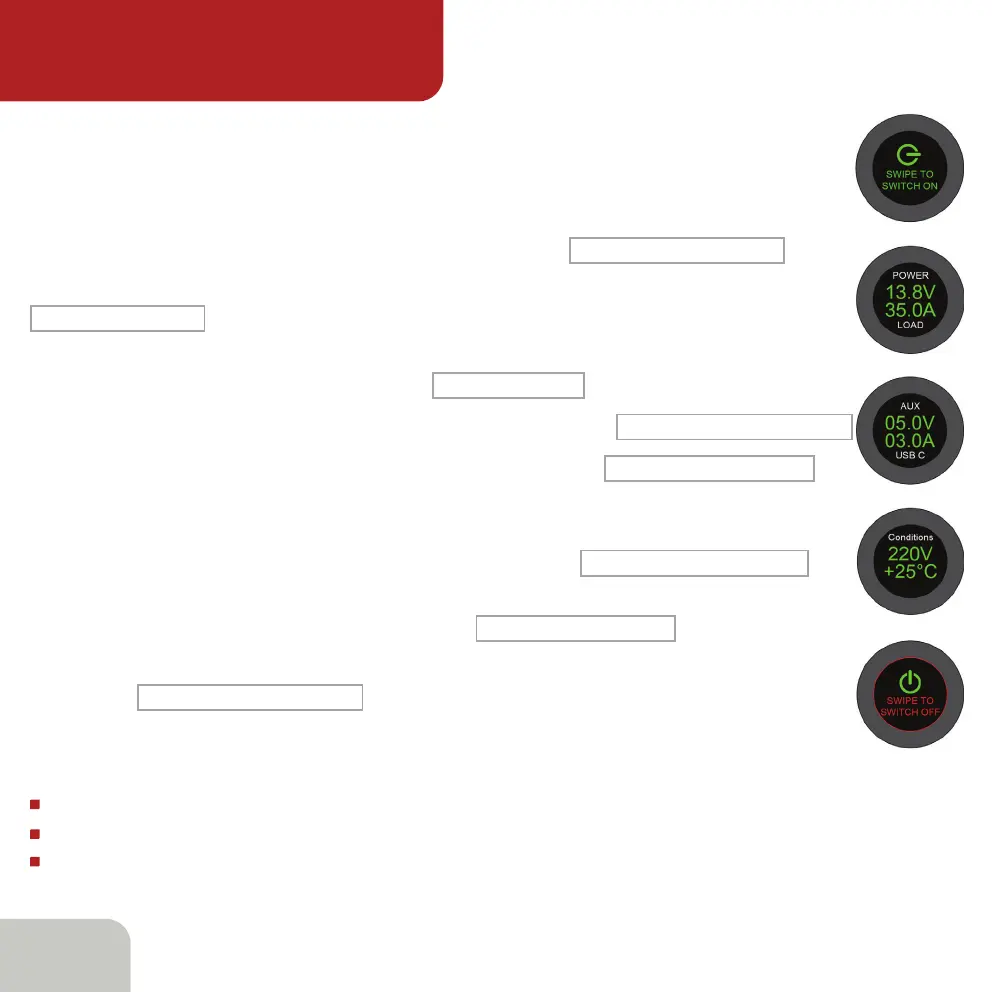
front panel LCD touchscreen. The next step is to swipe along the round front
panel LCD touchscreen, and the following message:
SWIPE TO SWITCH ON
Instantly swipe the screen once more and the following message:
will appear.
TOTAL 0W 0.0A 29C
When the load is connected to any of the 13.8V terminals, the display shows
both the consumed power and current:
50W 3.60A 29C
Touching the screen once again brings up the next screen:
POWER 14.0V 3.60A LOAD
The next touching the screen brings up the next screen:
that shows the voltage and consumed current at 5V Type A and Type C
connectors.
AUX 5.1V 0.00A USB C
By touching the screen again, we get the next message:
showing the mains voltage and the temperature directly next to the Air Intake.
CONDITIONS 209V +23C
Another touch brings back the first screen:
TOTAL 0W 0.0 A 29 C
To switch the power supply OFF use Swipe gesture to get the following
message:
SWIPE TO SWITCH OFF
Controlling the display
Display control



 To Next Page