P a g e | 19
1800 MY RILU www.rilu-e-bike.com.au
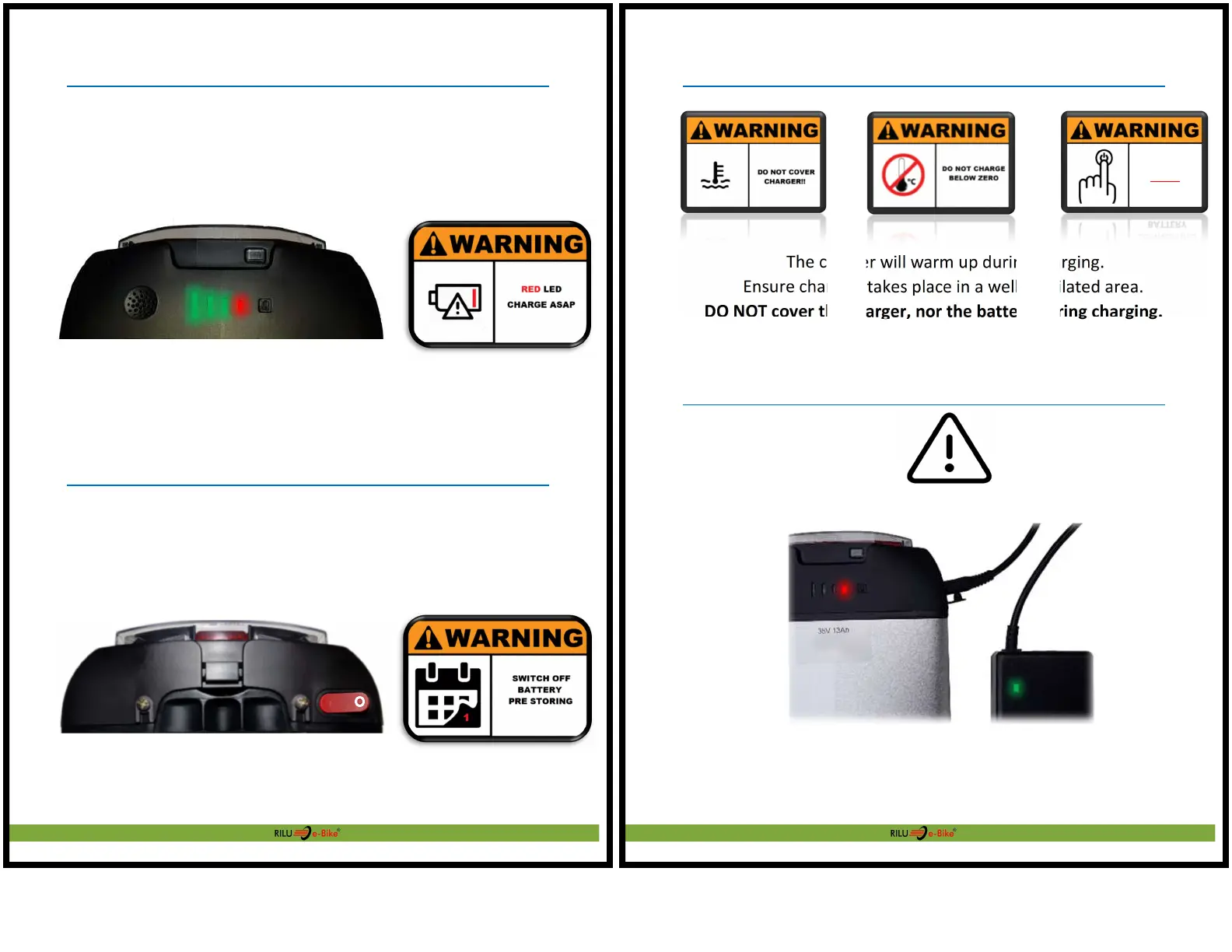
Battery – Capacity Bar
There are 4 LED indicating charge state of the battery, hold the button to check
the battery capacity, with each LED equating to approximately 25%
If only the red LED is illuminated, charge the battery within 24 hours.
Battery – Removal
Battery – Storage
For regular riding usage it is OK to keep the Battery Power Switch ON (I)
For long term storage ( > 1 Month ), ensure the Battery Power Switch is set
OFF, the (O) position
P a g e | 20
1800 MY RILU www.rilu-e-bike.com.au
Battery - Charger Warnings
The charger will warm up during charging.
Ensure charging takes place in a well-ventilated area.
DO NOT cover the charger, nor the battery during charging.
Battery – Charging Error
Contact your dealer for support if you experience the above issue
(battery not receiving charge)
Battery (RED) & Charger (GREEN)
POWER E-Glider
7D CHARGER
BEFORE
CONNECTING


 To Next Page