Introduction — LCD components
Proton — User’s Guide
13
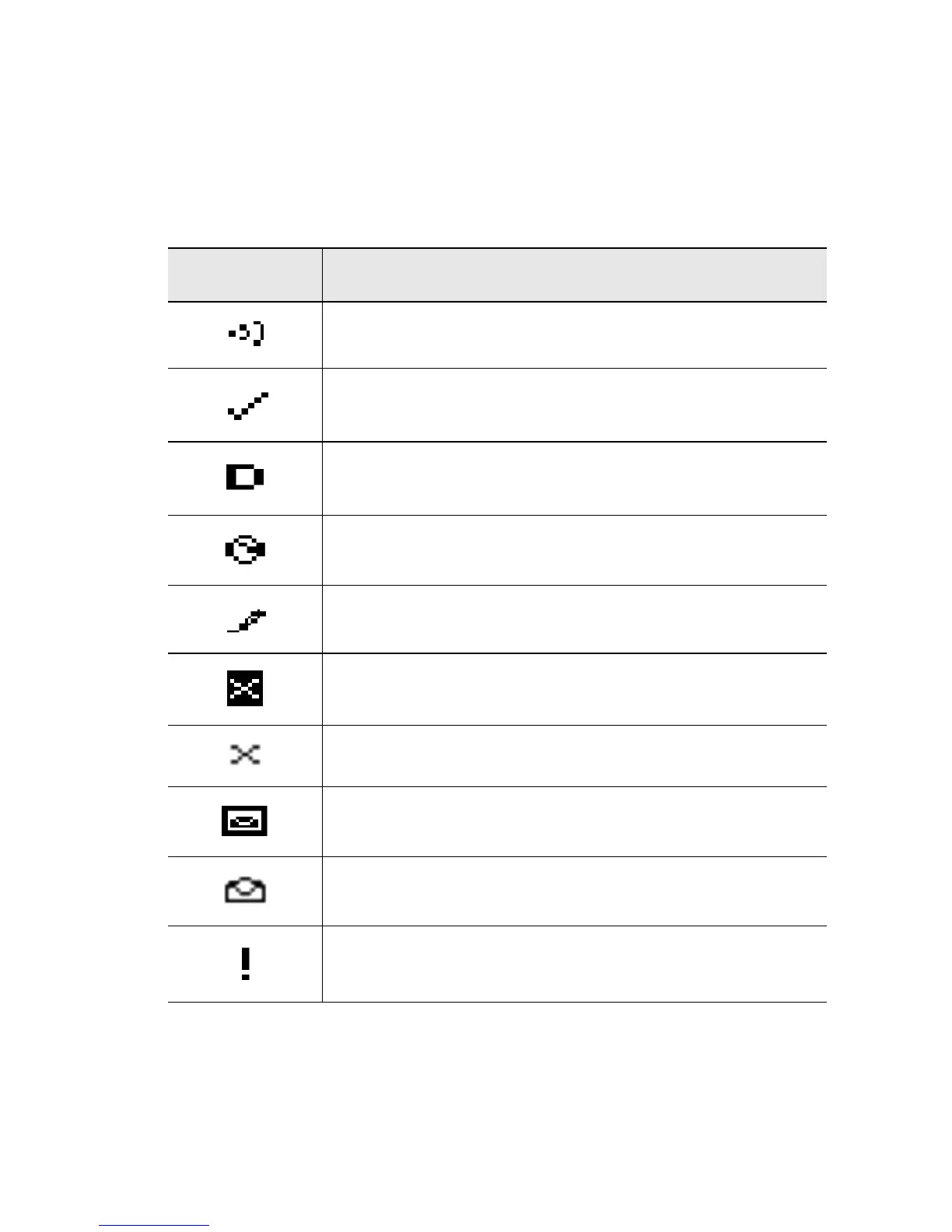
Message status icons
These icons appear on the Proton’s LCD screen to indicate the status
of sending, sent, and received messages.
Icon Description
Message is being sent.
Message has been sent out to the network.
Message that was sent to another Proton PIN
number has been delivered.
Message pending (will be sent later)
Composed message has been saved (not sent yet)
Unread message transmission error
Message returned, message transmission error
New, unread message has been received.
Message has been read.
Status of message is high.



 To Next Page