1
2003484_A
For more information visit www.rimage.com/support
Introduction
This manual provides the information needed to congure, operate,
and maintain the Rimage Catalyst™ 6000 and 6000N. The terms
‘system’ and ‘autoloader’ may be used throughout this manual to refer
to the Catalyst products. The term printer refers to either the Everest
600 or Prism III printer.
For information specic to the Catalyst systems refer to the Rimage
Catalyst User Guide found at www.rimage.com/support.
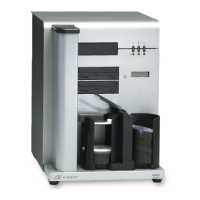
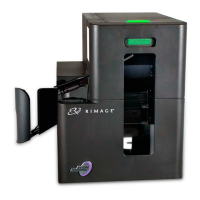
Important! Your Catalyst system may not look exactly like the model
featured in this user guide.
About this User Guide
• While we try to maintain all versions of our manuals and
documentations, please note that the English version found on our
web site always contains the most up-to-date information.
• Unless otherwise indicated, all Windows navigation statements
are Windows 7 paths. Other Windows operating system navigation
may differ slightly.
• These notes and symbols are used throughout the manual to help
clarify information:
Note: A Note provides supplemental information or information
that may apply only in special cases. For example, memory
limitations, equipment congurations, or details that apply to
specic versions of a program would be included in a Note.
Tip: A Tip suggests alternative methods that may not be obvious
and helps you understand the benets and capabilities of the
product.
Important!
• An Important note provides information essential to the
completion of a task.
• Important supplemental information.
• You can disregard information in a Tip and still complete a
task, but do not disregard an Important note.
ȸ
Caution: A Caution indicates that failure to observe this guideline
could result in loss or damage to the equipment, product, software,
or data.
ȸ
Warning! A Warning indicates that failure to follow this guideline
could result in bodily injury to personnel operating or maintaining
the equipment.
About the Catalyst System
The Rimage Catalyst™ system is available with either the Everest® 600
printer or the Prism III™ printer. For information about your printer, refer
to the setup and installation guide or user guide that shipped with
your printer.
The Catalyst 6000N has an embedded computer (PC). The embedded
PC is a network-ready computer which enables operation via other
networked computers. The Catalyst 6000N can also be used without
a network by directly attaching a monitor, keyboard, and mouse.
The Catalyst 6000 requires an external computer to be used. The
Catalyst 6000 autoloader is not shipped with an external PC; You
must provide a PC. Refer to the Catalyst specications for minimum
and optimum PC requirements for the 6000. Technical Specications
for this product can be found at www.rimage.com/support.
Unpacking and Setup Instructions
To unpack your Catalyst system, refer to the unpacking label on
the autoloader box. For setup instructions, refer to the Setup and
Installation Guide that shipped with your product.


 To Next Page