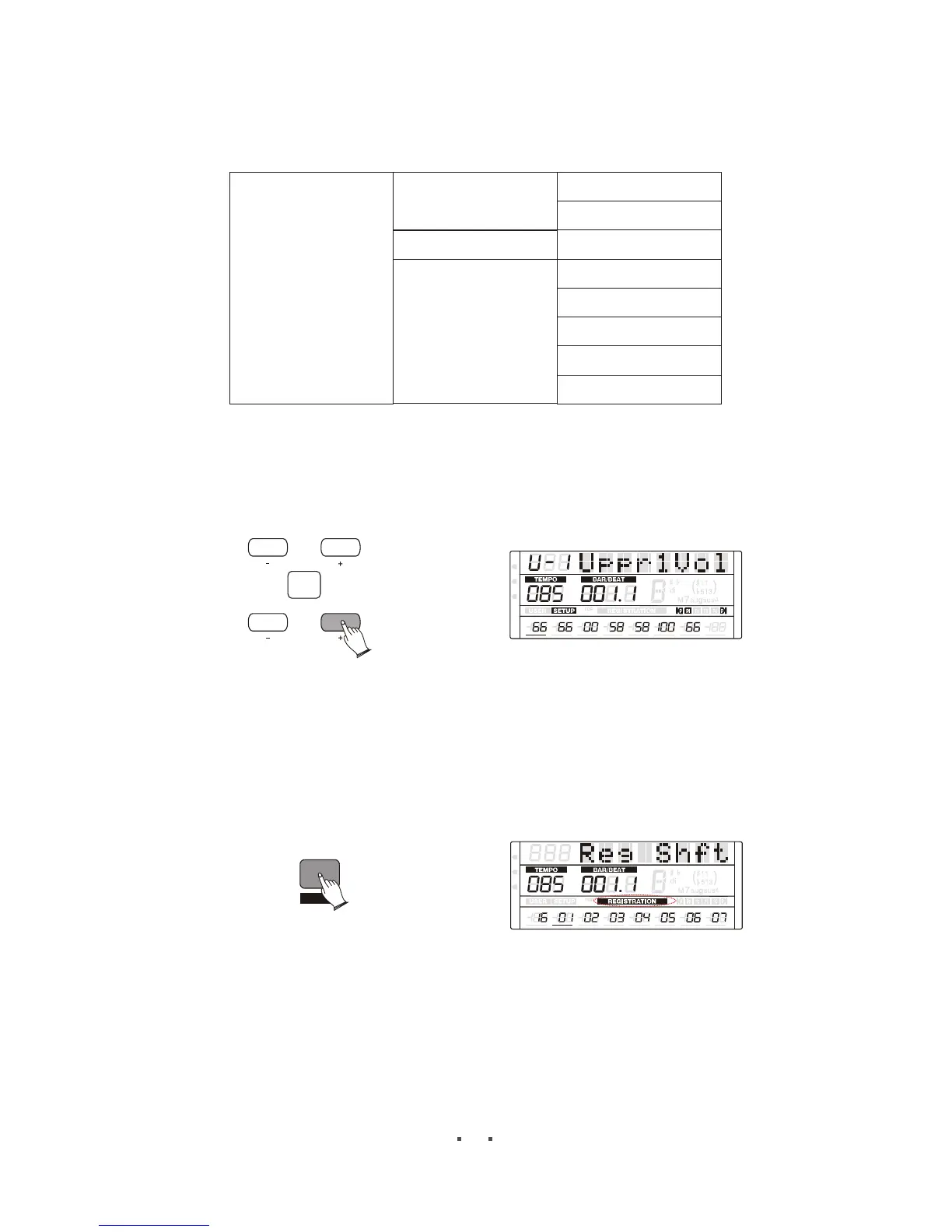
Rhy Vol
Perc Vol
Bass Vol
Chord Vol
Part1 Vol
Part2 Vol
Part3 Vol
Part4 Vol
Part5 Vol
Part6 Vol
Part7 Vol
Part8 Vol
Press [ITEM/PAGE +] button to select , then press
[DATA +/-] button or use the data dial to change volume value.
voices volume and rhythms volume
CONFIRM
ITEM
/PAGE
DATA
MIDI
REG
DRV
6
6
m
m
VOLUME PAN
TUNE
TRANSPOSE
OCTAVE ATTACK DECAY
RELEASE
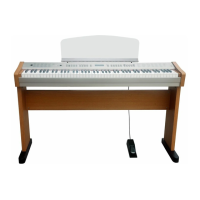
Reg Shift
Press [MODE] button to select registration shift playing mode ,
In this mode, you can see the registration order, and also can use [DATA +/-] button or use
the data dial to change the current registration position.
MIDI
REG
DRV
INSERT
MODE
6
6
m
m
VOLUME PAN
TUNE
TRANSPOSE
OCTAVE ATTACK DECAY
RELEASE
29


 To Next Page