36
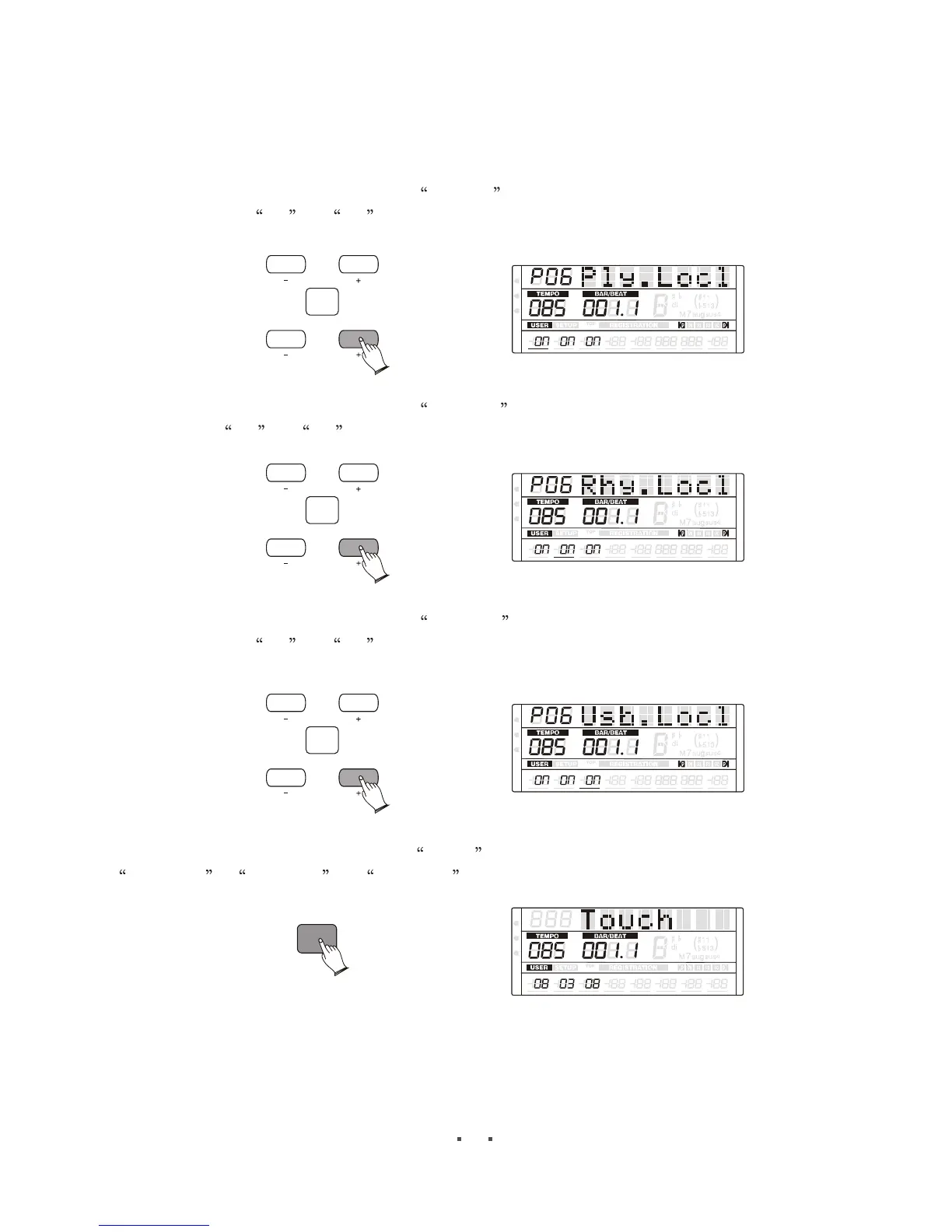
Local Setting
Press [ITEM/PAGE +] button, select Ply.Locl , then press [DATA +/-] button or use
the data dial set On or Off , when off, no sound on the speaker for your keyboard
performance.
CONFIRM
ITEM
/PAGE
DATA
MIDI
REG
DRV
6
6
m
m
VOLUME PAN
TUNE
TRANSPOSE
OCTAVE ATTACK DECAY
RELEASE
Rhy.Locl
Press [ITEM/PAGE +] button, select Rhy.Locl , then press [DATA +/-] button or use the
data dial set On or Off , when off, no sound on the speaker for your rhythm playing.
CONFIRM
ITEM
/PAGE
DATA
MIDI
REG
DRV
6
6
m
m
VOLUME PAN
TUNE
TRANSPOSE
OCTAVE ATTACK DECAY
RELEASE
USB.Locl
Press [ITEM/PAGE +] button, select Usb.Locl , then press [DATA +/-] button or use
the data dial set On or Off , when off, no sound on the speaker for your USB midi
file playing.
CONFIRM
ITEM
/PAGE
DATA
MIDI
REG
DRV
6
6
m
m
VOLUME PAN
TUNE
TRANSPOSE
OCTAVE ATTACK DECAY
RELEASE
4.Touch
Press [TOUCH] button, LCD display Touch , the press [ITEM/PAGE +] button, select
UK.Sensi , LK.Sensi or PK.Sensi . Range: 0-15
TOUCH
6
6
m
m
VOLUME PAN
TUNE
TRANSPOSE
OCTAVE ATTACK DECAY
RELEASE
MIDI
REG
DRV
UK.Sensi----upper keyboard touch sensitivity;
LK.Sensi----Lower keyboard touch sensitivity;
PK.Sensi----Pedal keyboard touch sensitivity;


 To Next Page