37
Registration Memory
1.Storing Registration
While holding down the [M] (Memory) button in the Registration Memory section, press
the numbered button to which you wish to save your Registration.
When the Registration is stored, the indicator lamp above the numbered the numbered
button flashes momentarily.
2.Selecting Registrations
Simply press the numbered button ([1]-[16]) that corresponds to the Registration you wish
to select. (The selected button is lighted.)
You can also recall Registrations in a pre-programmed order by using the right foot-switch.
3.Using the [D] (Disable) button:
When the [D] button is on, the following functions will not change, even when you change
the Registration Memory number: Rhythm; rhythm volume; rhythm control; harmony; tempo
4.Saving the Registration Data to USB disk
Insert the USB disk into the USB socket.
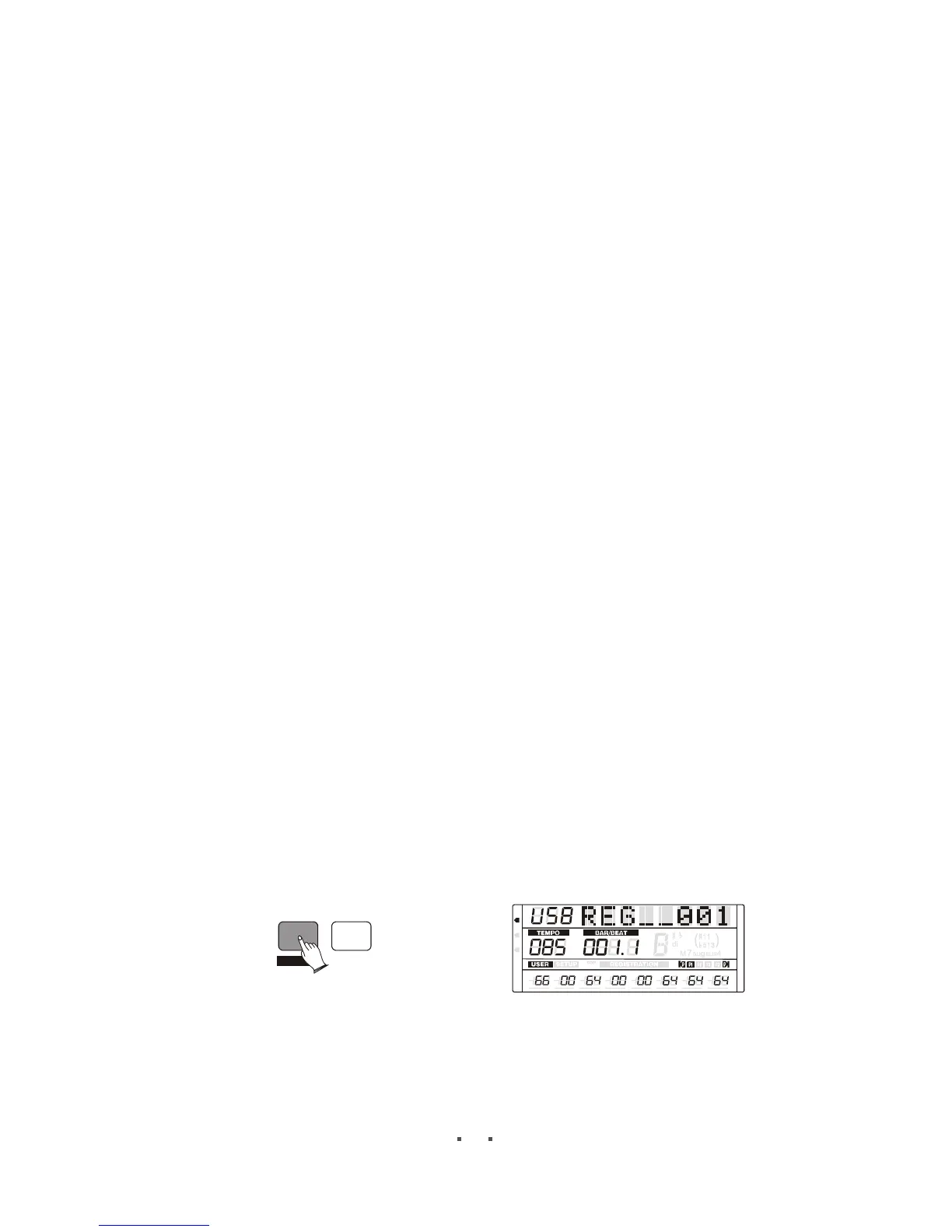
Press [M.REC] button, a message(REG__***)(file name) appears ,indicating the
Registration data is currently being saved. Current 16 registration settings are saved to
the file already.
REC
M.REC
6
6
m
m
VOLUME PAN
TUNE
TRANSPOSE
OCTAVE ATTACK DECAY
RELEASE
MIDI
REG
DRV
Note:
The memory disk reader has been tested by a large number of memory disks in the market.
Even so, in some cases, it may not identify certain memory disks


 To Next Page