41
Recorder
1.Recording
Insert the USB disk into the USB socket.
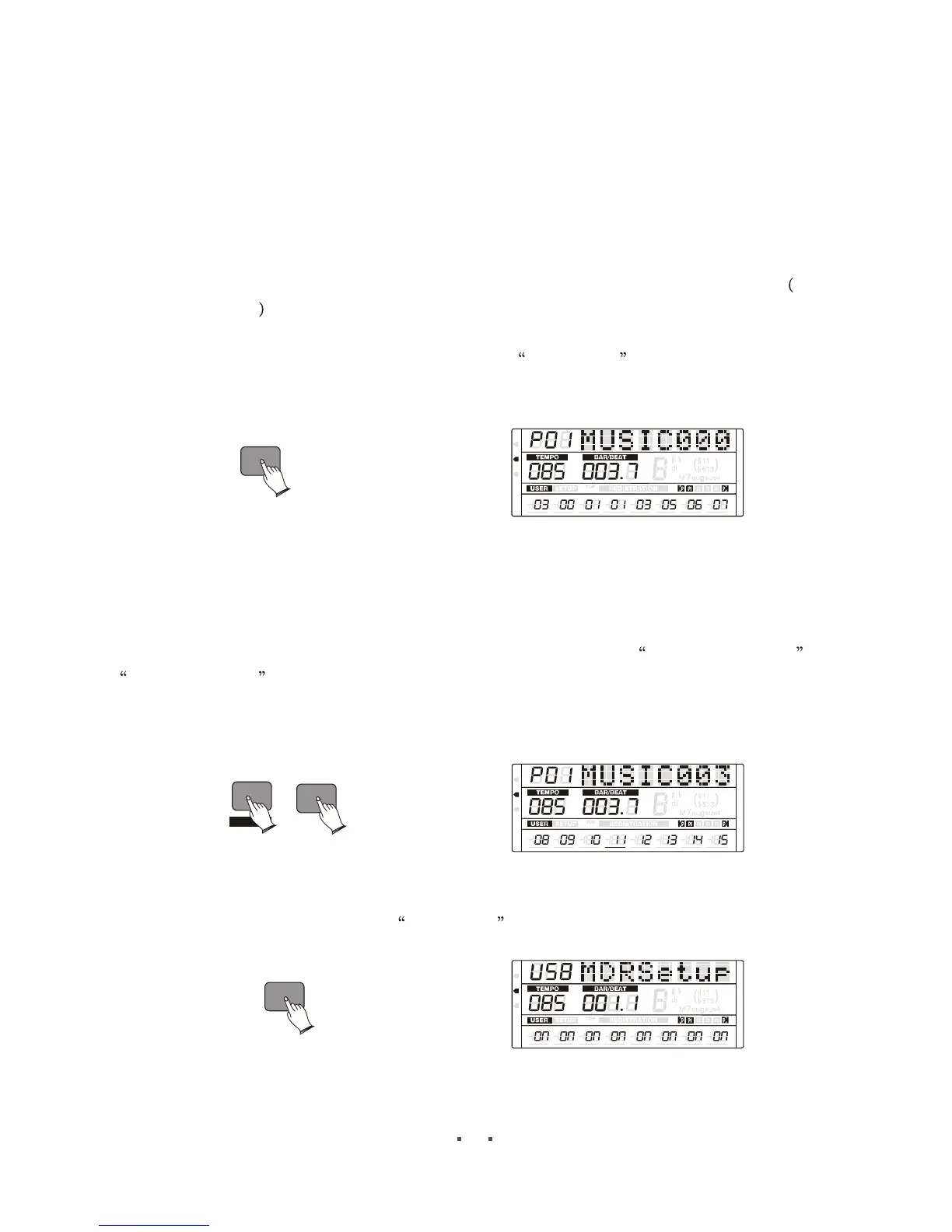
Press [REC] button to start recording, the first para will have indicator beat sound
. When you finish recording, press the [REC] again.
Recording stops and your performance is written to the song. The song to which your
performance is recorded is automatically named MUSIC xxx (xxx indicates the number).
You can edit the midi file, change the file name on computer.
2. Change Recorded MIDI File
Your can rework the recorded midi file.
Select the midi file you want to change. Hold down [SHIFT] and press [REC] to start
reworking .you will get a new file which is assigned automatically.
While recording, your instrument will check your setting about recording channel and
playing channel ,if the recording channel is turned on ,the channel data of the midi file
will be replaced by your performance. If the recording channel is turned off ,and the playing
channel is turned on, the channel data of the midi file will be keeped in new midi file.
3.Set Track
Press [SET] button, LCD display MDRSetup , Press [ITEM/PAGE +] button
rhythm
volume is not min
REC
MIDI
REG
DRV
6
6
m
m
VOLUME PAN
TUNE
TRANSPOSE
OCTAVE ATTACK DECAY
RELEASE
REC
SHIFT
MIDI
REG
DRV
6
6
m
m
VOLUME PAN
TUNE
TRANSPOSE
OCTAVE ATTACK DECAY
RELEASE
SET
MIDI
REG
DRV
6
6
m
m
VOLUME PAN
TUNE
TRANSPOSE
OCTAVE ATTACK DECAY
RELEASE


 To Next Page